What is a Design Sprint?
Design Sprints are basically a team of people (who might have different backgrounds) who break down the design process with one person leading the group to help move things along faster. This helps go thorough ideas and really build a fully thought out end result.
Introduction:
Out of all the generations, Gen Z has grown up in a world of fast-paced information leading to this idea of “need to know” mindset, Gen Z may only think about their financial literacy when it starts to affect them.
This design sprint was aimed to create an app with the intention of learning financial literacy in a fun and unique way targeted toward Gen z.
The Main Problem the team was trying to solve was how to make education on an app fun and enticing enough for people ages 13-28 years old to keep coming back.
Meet the Team
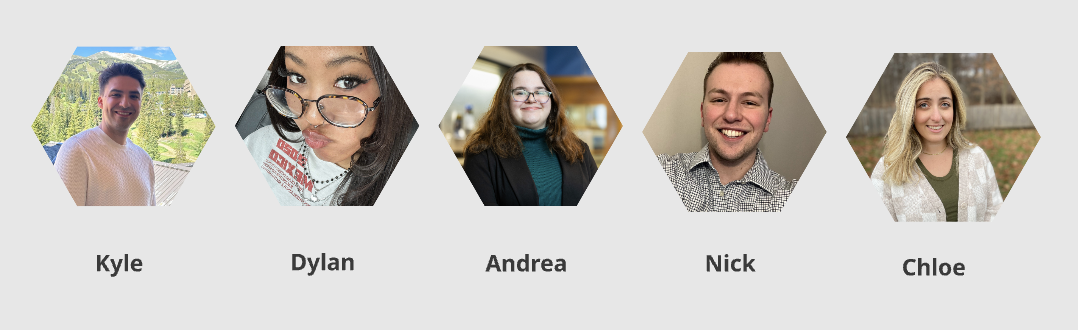
Five individuals with backgrounds in design, media, communication and more – Chloe Levy, Kyle Adams, Andrea Domingo, Dylan Tse, Nick Pagonis Graduate students from Quinnipiac University began a design sprint to create a financial literacy app for Generation Z, ending up resulting in a design prototype of an app called PennyPal.
Sprint Duration:
May 19th – June 27th , 2025
Phase 1: Map + Sketch
Phase 2: Decide + Storyboard
Phase 3: Prototype + Refine
Phase 4: Test + Collect
Phase 5: Reflect + Report
Sprint Overview
A normal Design Sprint runs for 5 day, this sprint simulated 5 days into 5 weeks. One day in the sprint was run through in one week. This was do to scheduling. The Design Sprint was also fully remote, with people working on both sides of the country.
Phase 1: Map + Sketch
The focus in phase 1 is on understanding the problem, aligning the team, and setting a clear target. This week was all about mapping out the challenges and deciding where to focus efforts for the rest of the sprint.
The team will set long term goals, map out the challenges, create questions to be answered by the end result and do research on the overarching topic of what they are building.
Sprint Activities
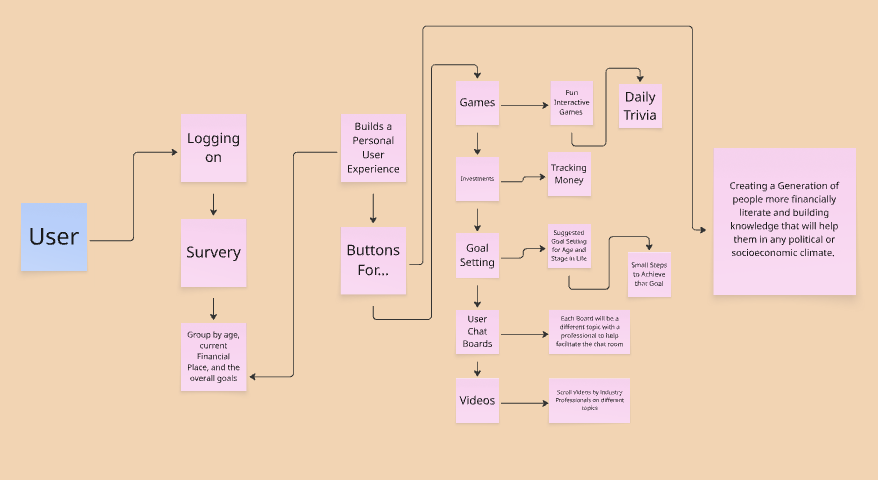
Map:
This activity is used to visualize the user journey from start to finish and identify the most important problem to solve during the sprint. The team also used it to display important features and buttons they wanted to include in the app design.
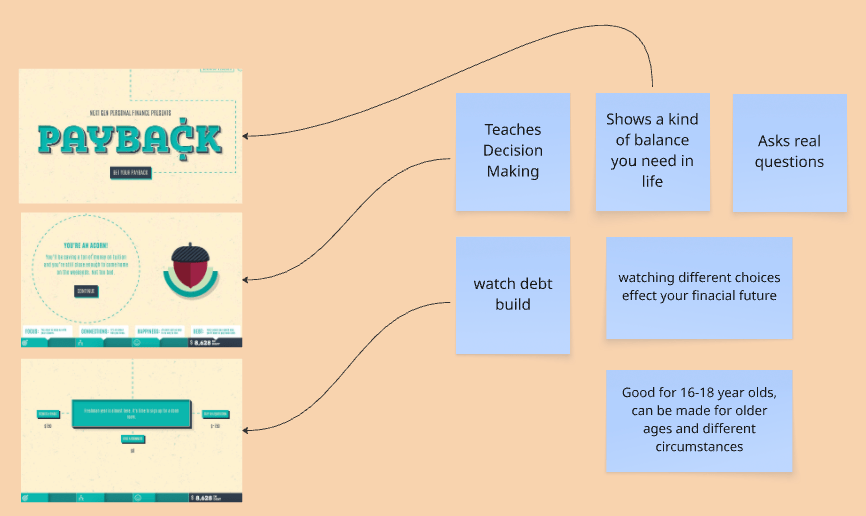
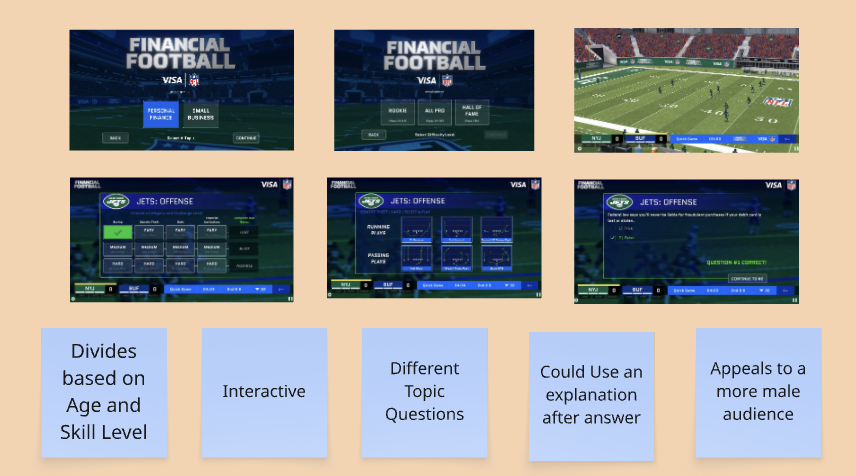
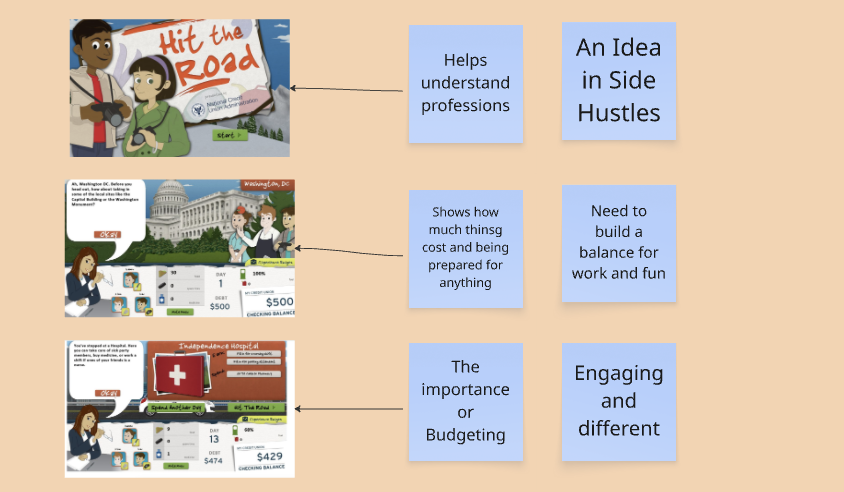
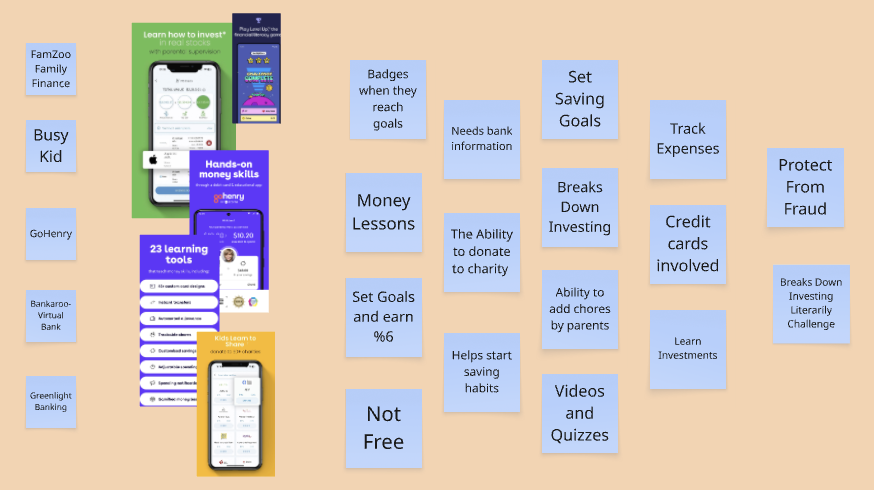
Lightning Demo:
The goal is to gather ideas by looking at how others have solved similar problems
- Spark creativity by showing what’s possible while looking at other products
- Identify patterns or features that work well
- Expand upon competitors ideas
- Build a shared understanding of what “good” looks like visually and for the user flow
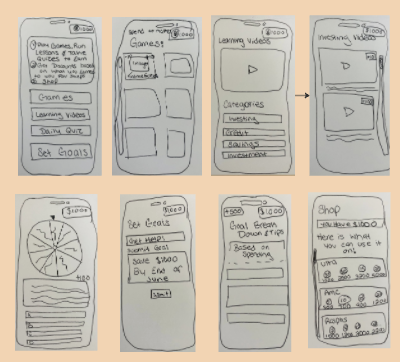
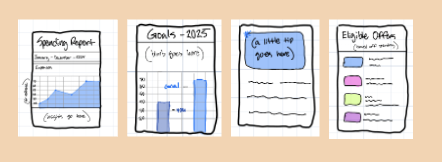
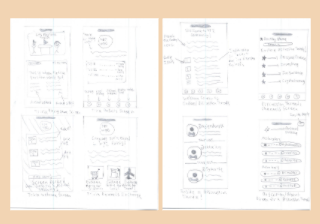
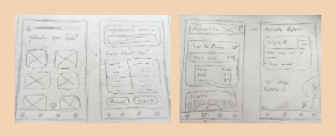
4-Step Sketch:
It helps every team member, regardless of design skill, contribute strong ideas to the solution overall. This also its a great way to see how everyone on the team is visualizing how to app will come together.
Phase 2: Decide + Storyboard
Phase 2 of the Design Sprint is all about coming up with and deciding on ideas. The main goal is to generate, develop, and sketch potential solutions based on everything the team learned in Phase 1. The team went through different exercises to determine which pieces will make up the puzzle of the app. From there one person sketched out a rough draft of what this sections would look like on a screen and how it would flow throughout the app.
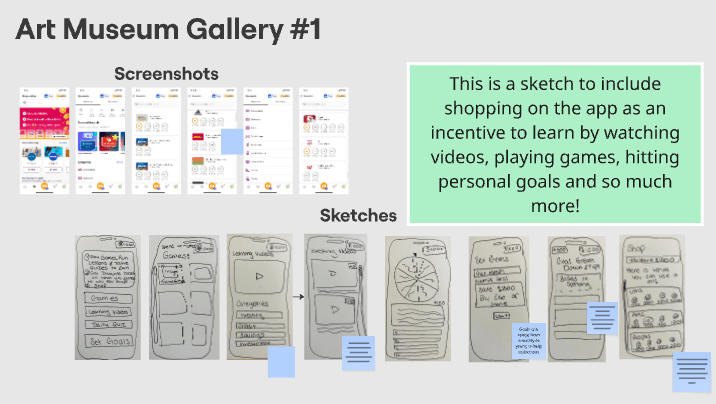
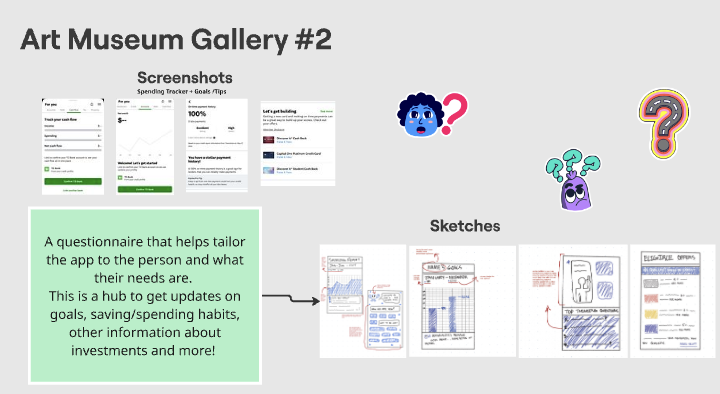
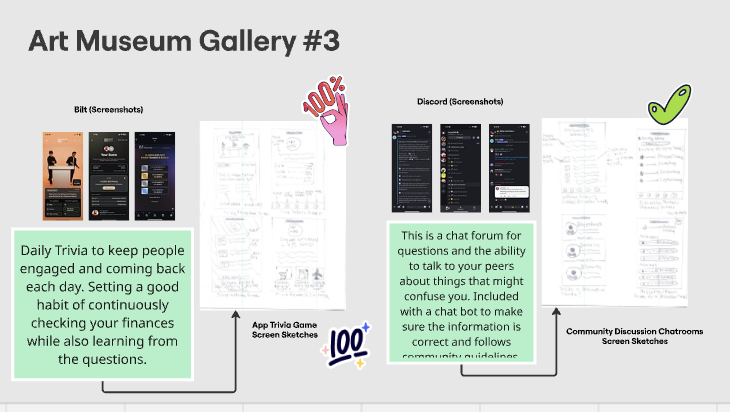
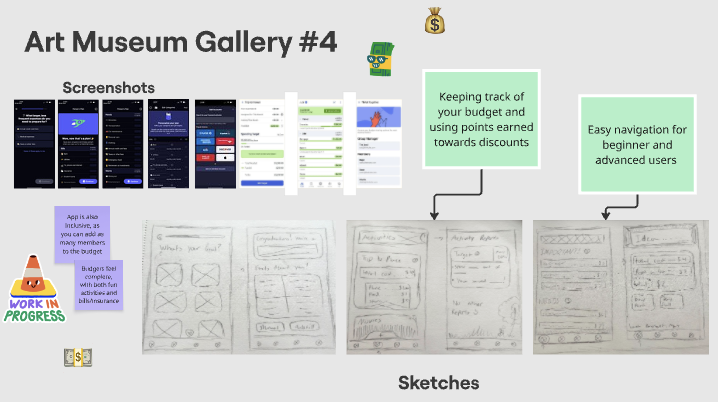
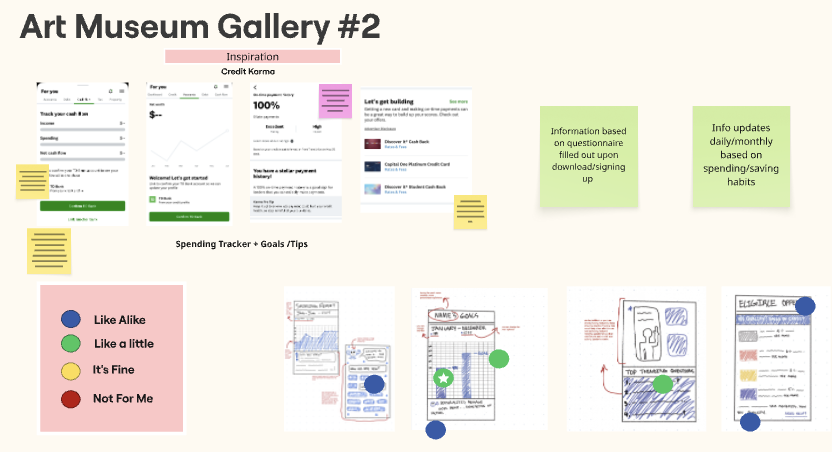
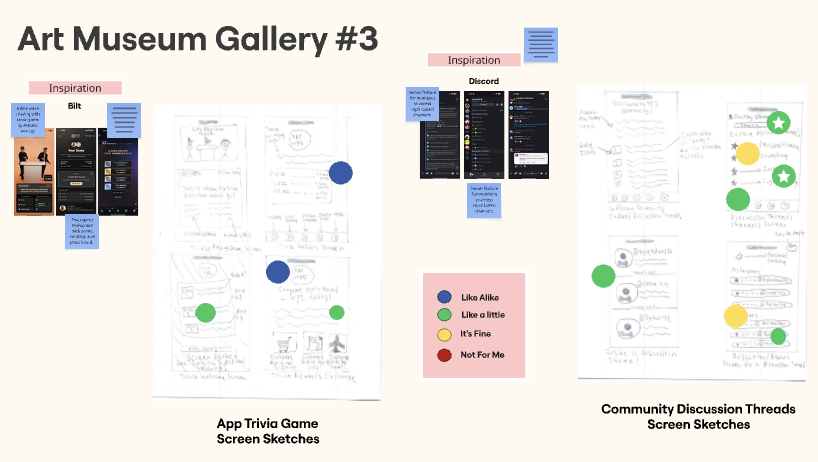
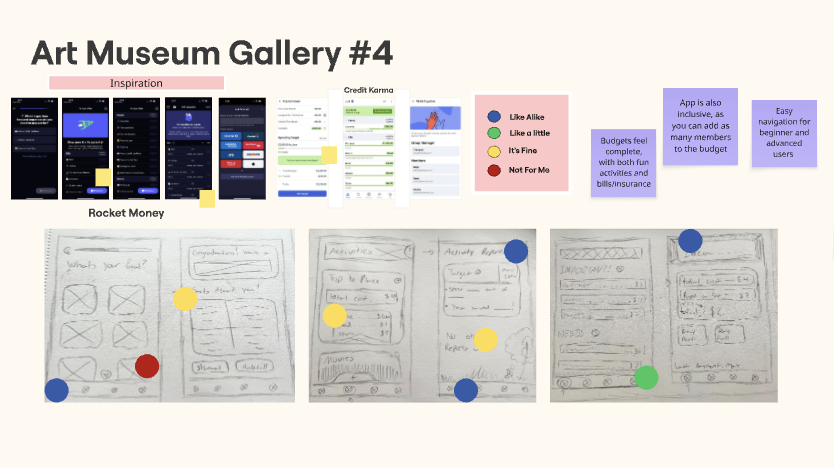
Art Museum Gallery:
This is the exercise where the team reviews all of the solution sketches from phase 1 by displaying them anonymously, like artwork in a gallery. One person will run through all the images with a brief unbiased explanation allowing the team to get a full view of all the ideas.
Heat Map Voting:
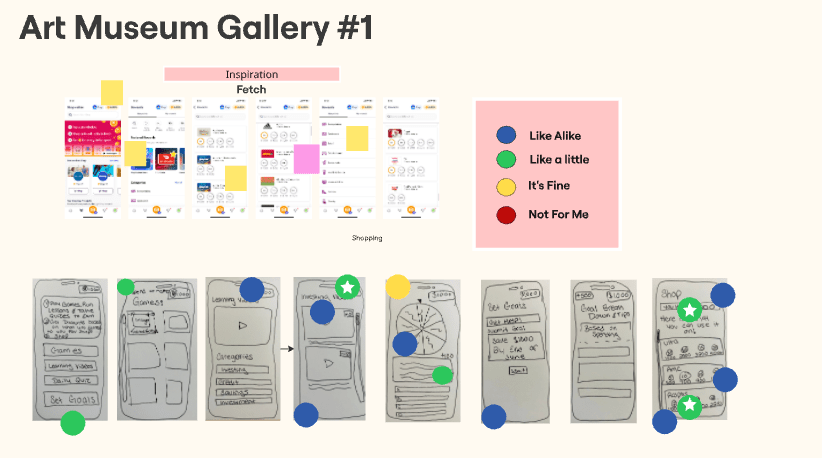
This exercise is to identify the most promising parts of solution sketches presented in the Art Gallery. It helps the team collectively highlight strong ideas. Everyone is given dots they can use to voice their likes and dislikes.
User Flow:
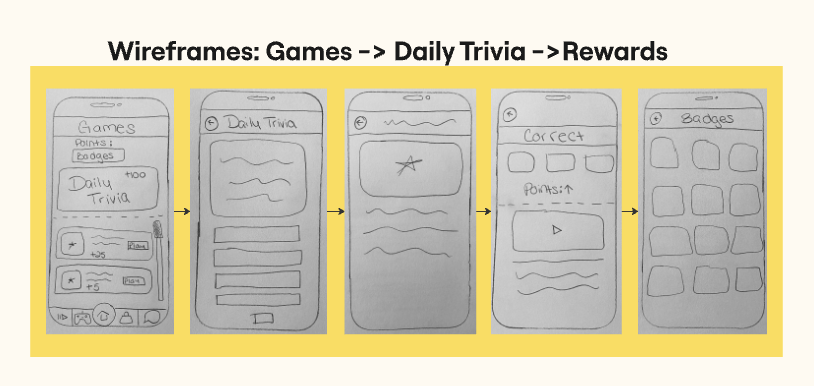
This is a visual representation of how a user moves through a product or in this can an app, to complete a task or achieve a goal. In this case, the user flow chosen was obtaining the app, signing in, and going to play the Daily Trivia Game. This was an important flow knowing that phone games are extremely popular for Gen Z users and will help with the retention of the app if it works well.
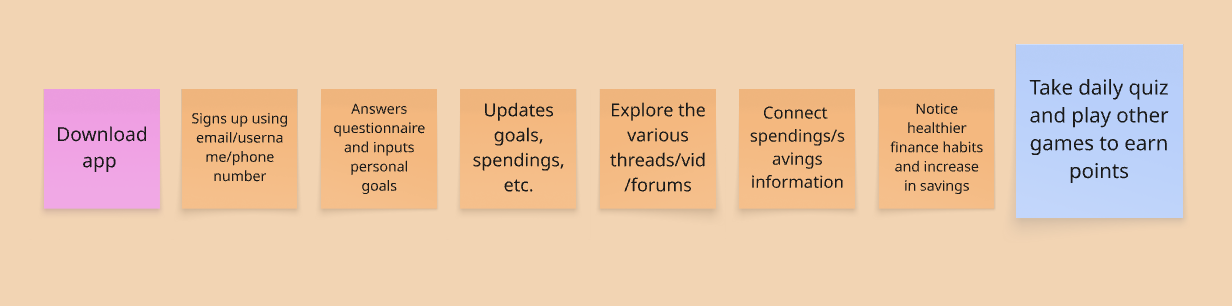
This User Flow was selected because it was the most logical start to finish app interaction in a six-step process that a majority of Gen Z users would likely follow. The first few steps of creating an account and inputing information to have an app experience customized to your own interests and goals is likely to happen in the beginning of usage. Following this, users will do secondary actions like exploring written threads and videos, connecting external bank accounts and then see a difference in their personal finance habits, knowledge and savings!
Storyboarding:
This is the process of visually mapping out the key steps of a user’s experience created from the user flow chart decided upon in the previous exercise. One team member hand drew a step by step screen for each phase of the user flow chart.
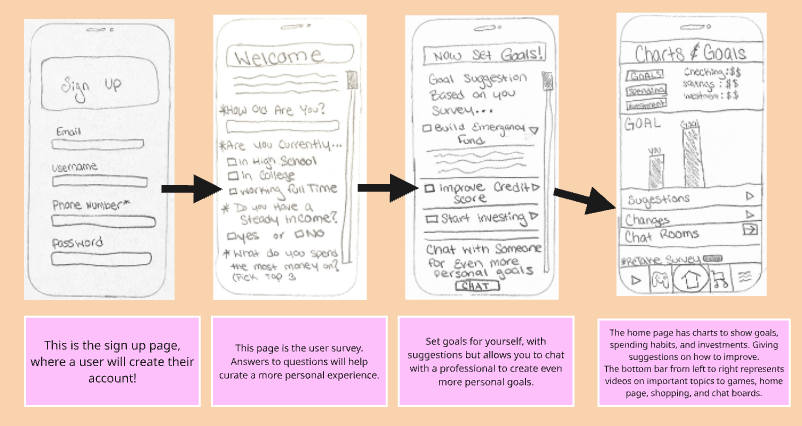
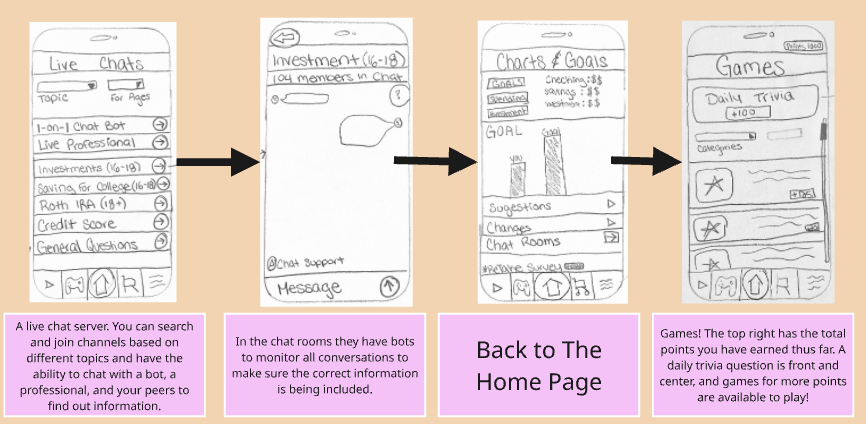
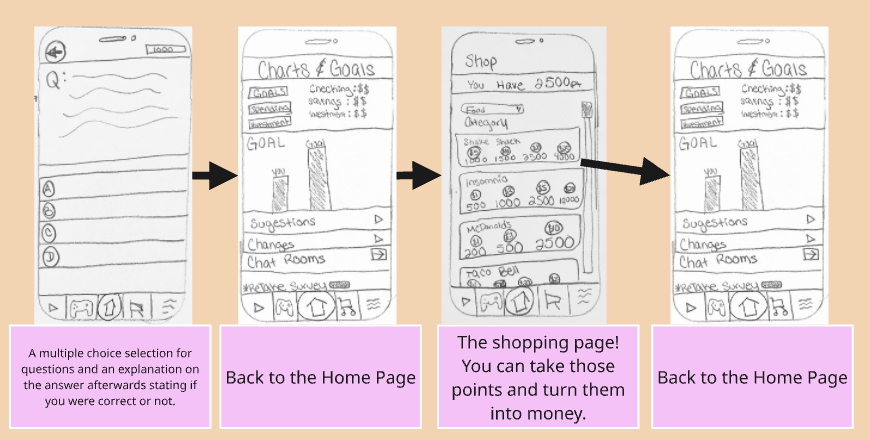
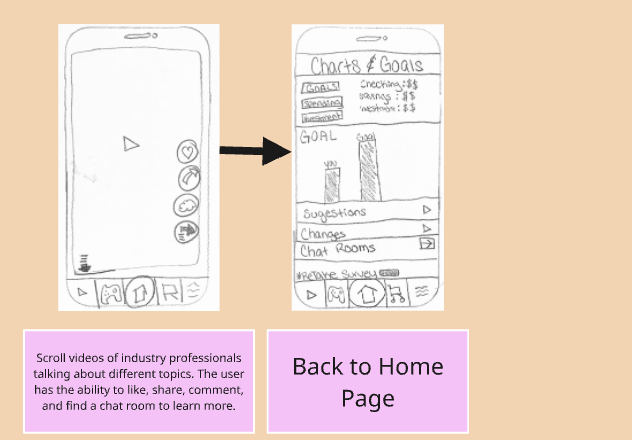
Upon Reviewing the storyboards it is clear that the main overarching goal of this app are…
1. Make Financial Literacy Engaging
2. Build Core Financial Skills
3. Encourage Better Saving and Investment Habits
4. Integrate With Their Lifestyle (TikTok/Games)
5. Inspire Long-Term Financial Thinking
Phase 3: Prototype + Refine
This phase is all about bringing ideas to life in a quick and realistic way. The primary goal is to create a prototype that feels real enough to gather meaningful feedback from users, without spending too much time or resources building a fully functional product. It’s easier to go back and correct a prototype than the actual app as a whole.
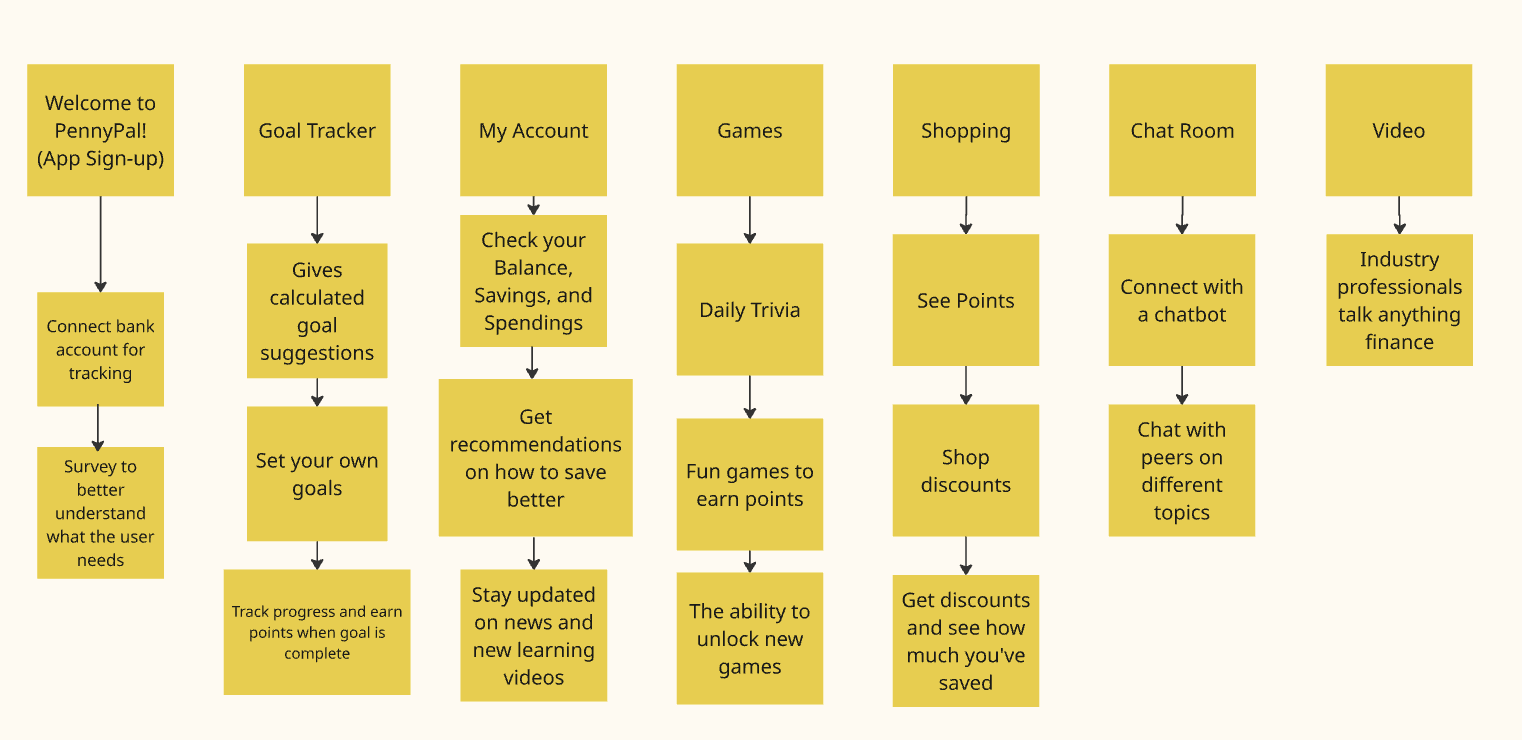
Product Break Down:
A Product Breakdown is an exercise to deconstruct the main product idea into smaller, functional parts. This helps you understand what your product actually will look like when broken down into buttons on the app.
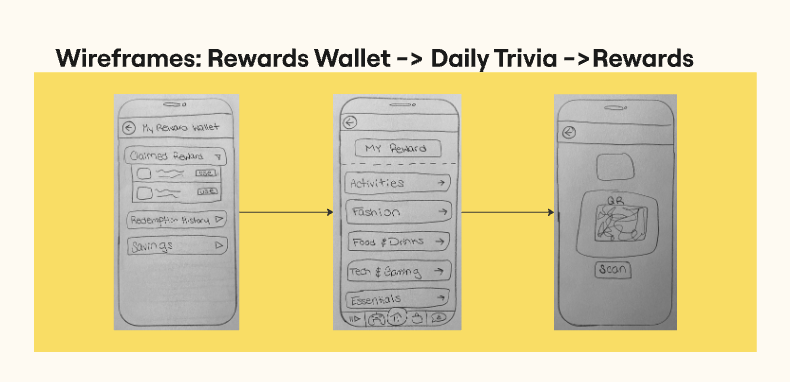
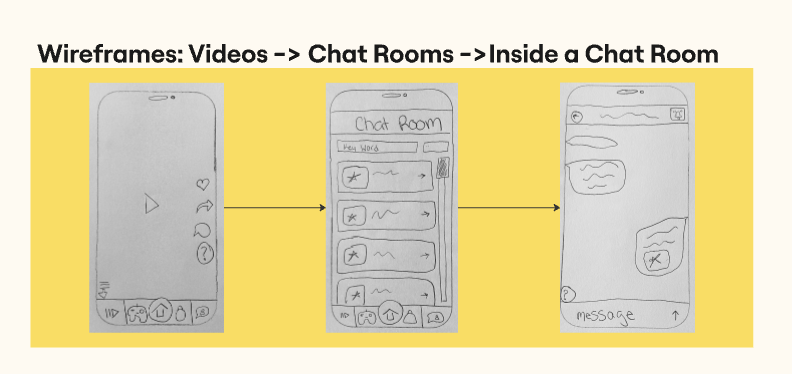
WireFrame:
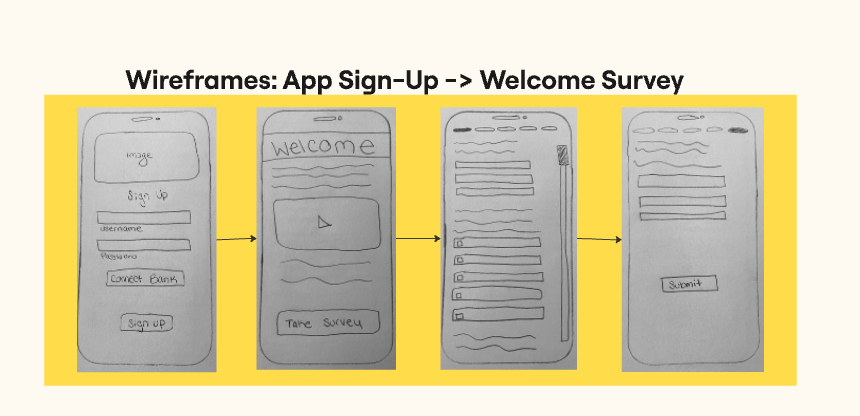
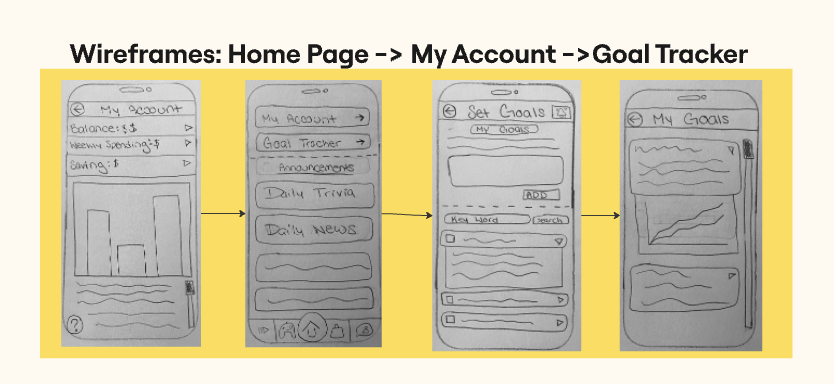
A wireframe is a low-fidelity visual layout that outlines the basic structure of how the app will run without focusing on detailed design elements like colors, fonts, or images.
It’s used to show the user flow of going through the app from one section to another before it is turned into a high-fidelity prototype. This is to continuing finding the bugs in the system.
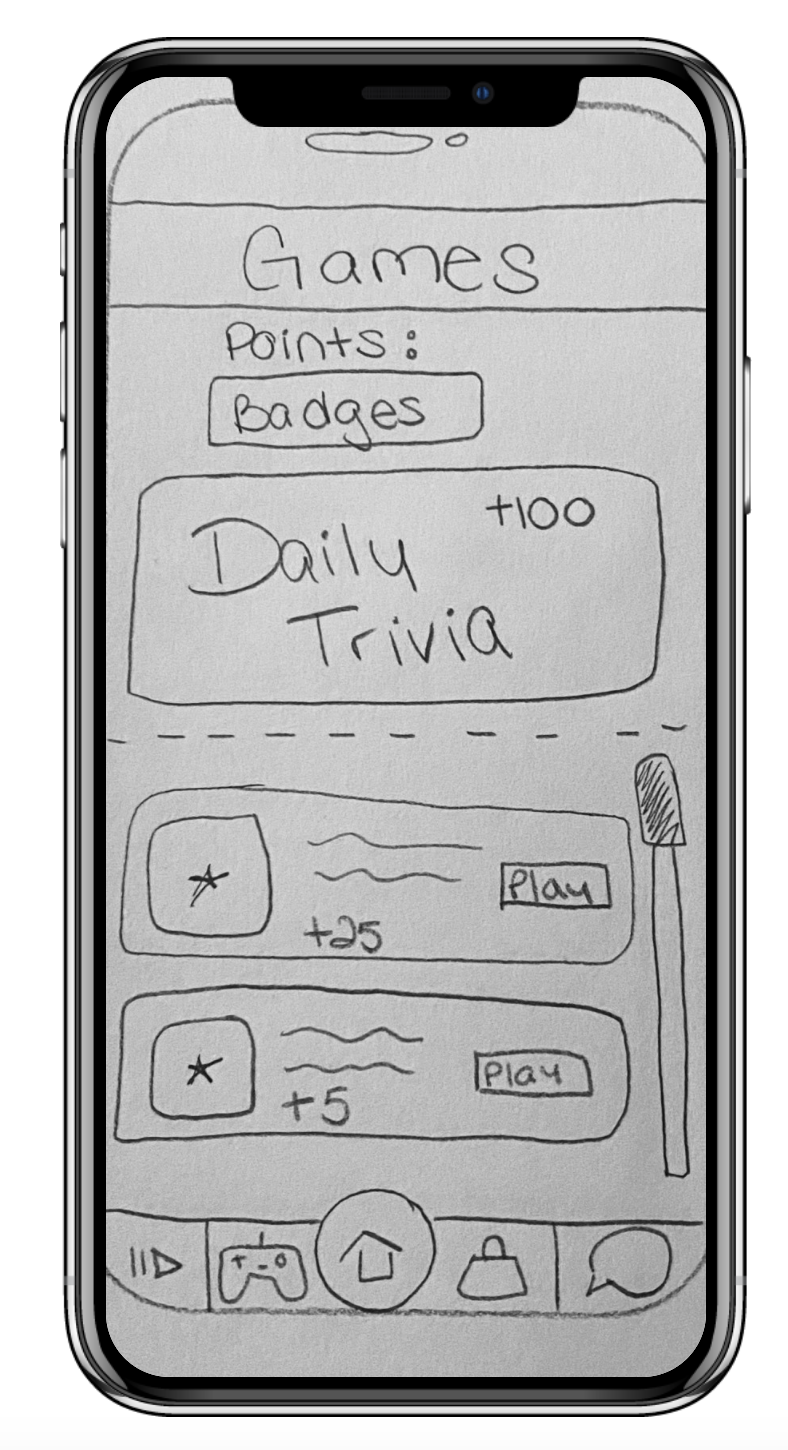
Mockup – Low Fidelity
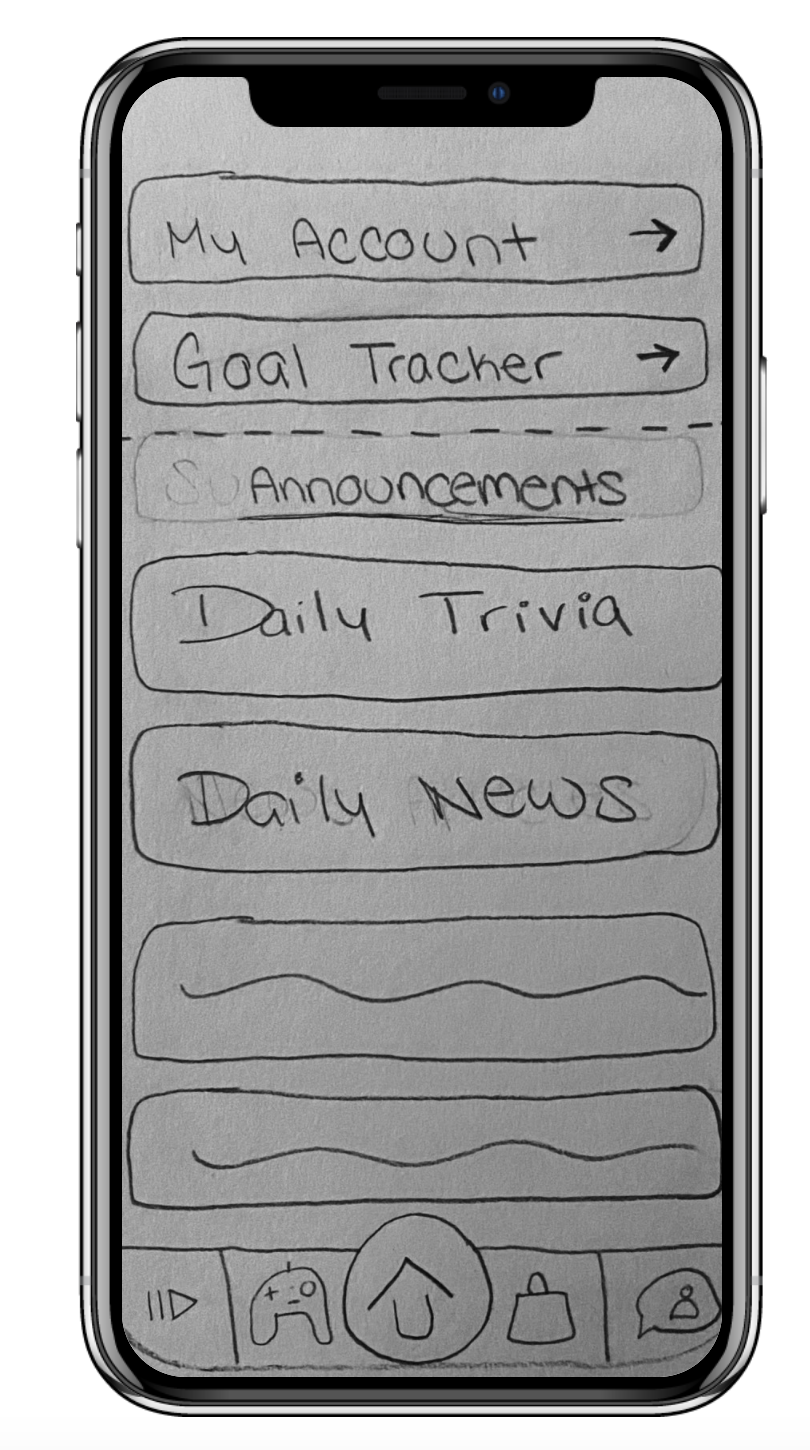
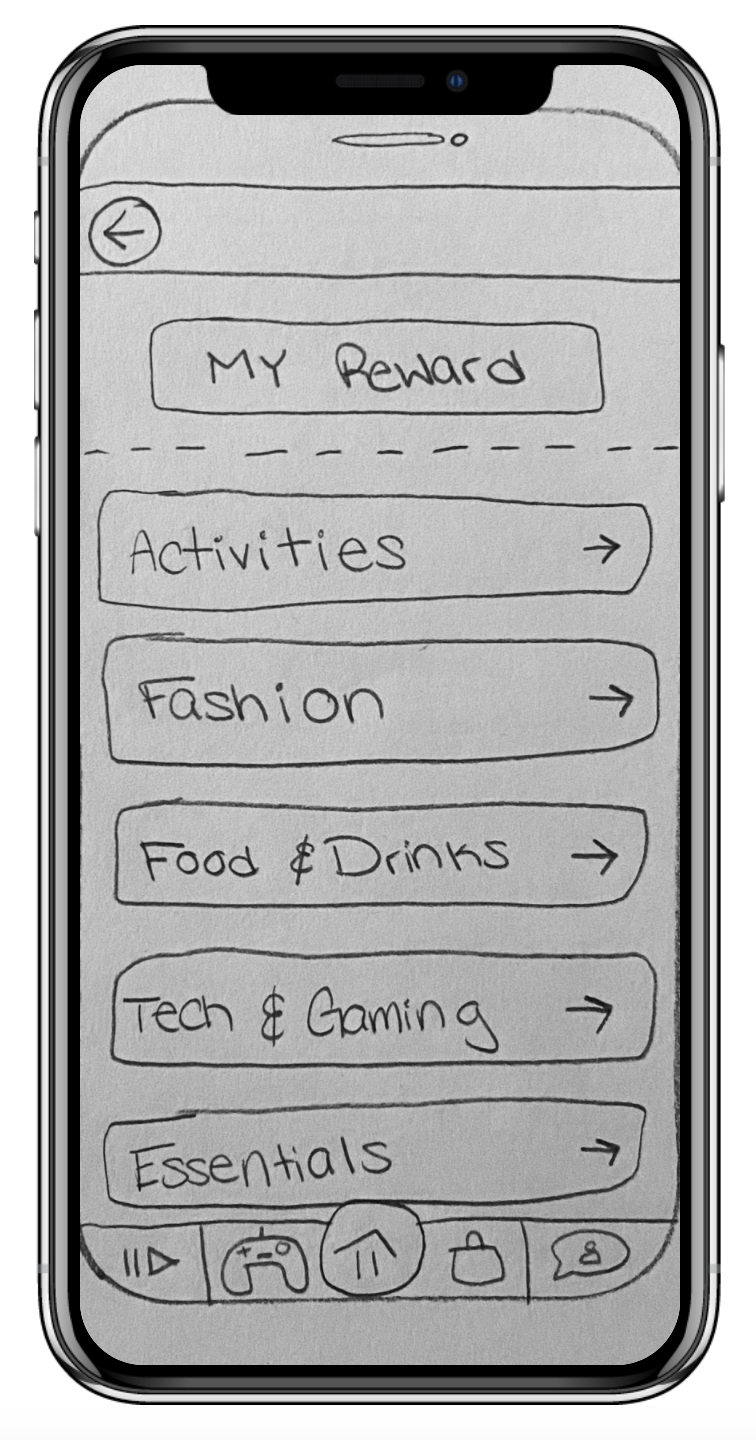
A low-fidelity prototype is a rough, early version of a product that shows layout and user flow without focusing on visuals. It’s quick to make, easy to update, and great for testing ideas and getting feedback before building a polished design.
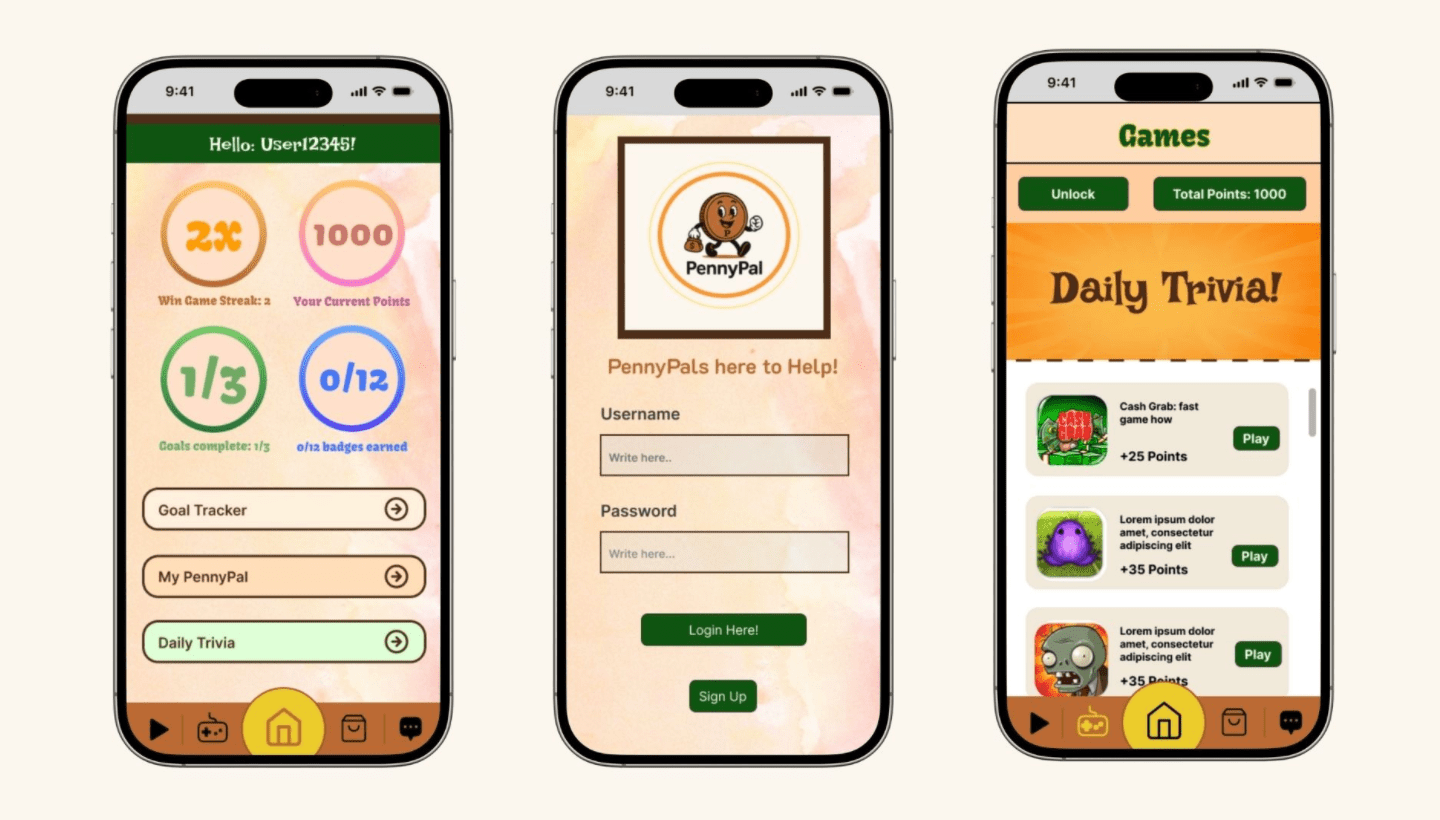
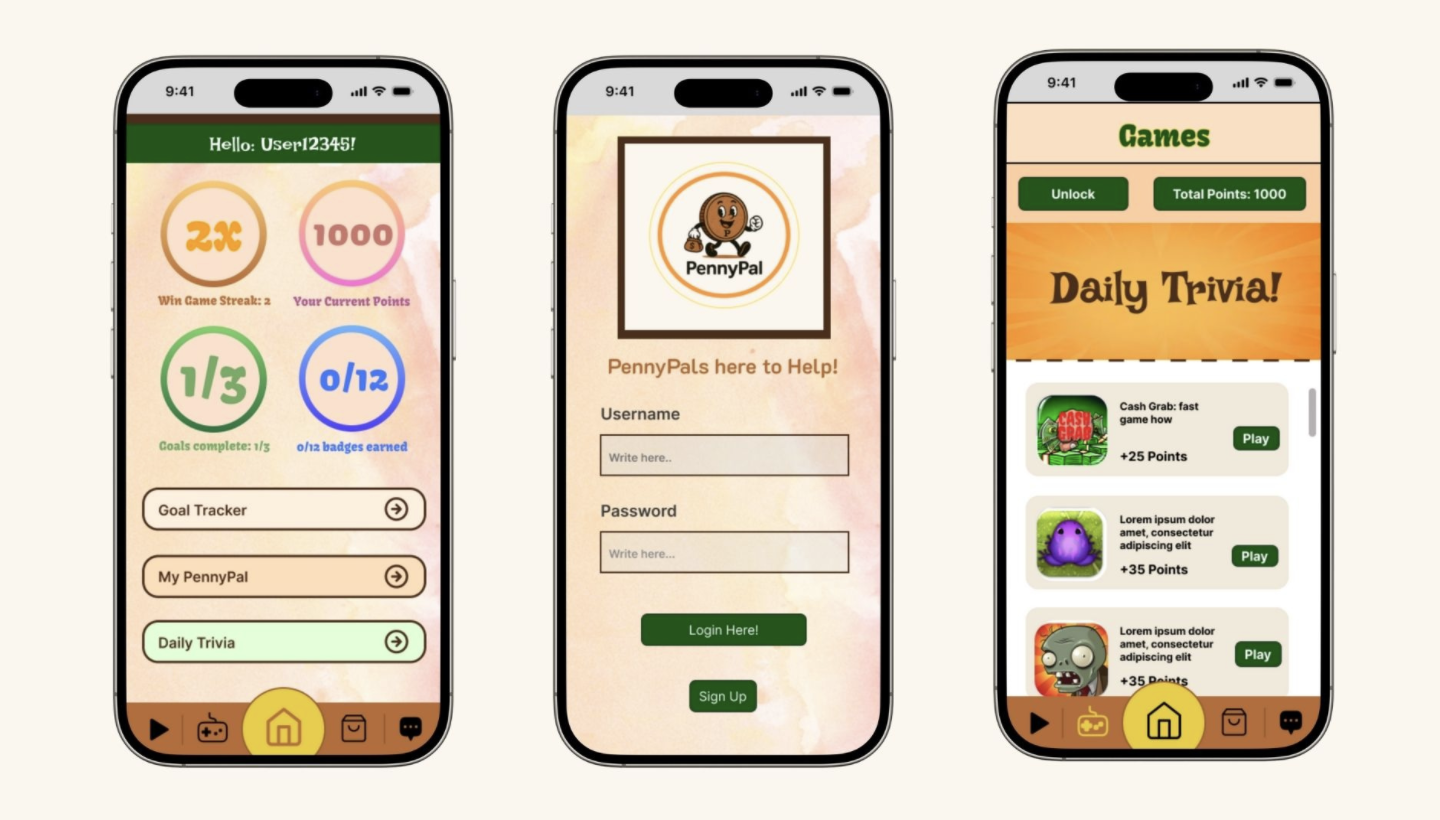
PennyPal High-Fidelity Prototype:
A high-fidelity prototype is a more polished, interactive simulation of the app based off the Mockup made previously. This was created in Figma, a design tool used to create interactive prototype that the team can use during the testing phase.
Phase 4: Test + Collect
Phase four, is when the teams prototype is put in front of real users. Gathering feedback from real users and observing how they interact with the design to learn whether the user flow actually works. This is when the team puts on their science coats to see what hypothesis they end up with. Whether that means moving forward or going back to the drawing board on some areas.
This is where your prototype faces the ultimate test, real world user interaction and feedback. Here the team will connect with different individuals to do User Testing allowing the team to understand if PennyPal is a viable app for Gen Z users to learn about personal finance through education and entertainment.
The goal of this phase is to ensure we selected the right participants for user testing, created the right types of questions, and analyze the data in a way that defines next steps.
What is PennyPal?
PennyPal is a financial literacy app designed specifically for Gen Z, blending education and entertainment to make learning about money fun, social, and rewarding. The app assists with budgeting, saving, smart spending, and understanding the overarching explanations of why we do what we do. PennyPal gives users the chance to earn points that convert into real-world shopping discounts, a great incentive to keep coming back. PennyPal also has chat rooms to create spaces for users to connect, swap money tips, and share goals in a supportive way, creating a peer-led community. PennyPal is all about having fun while getting your finances on track.
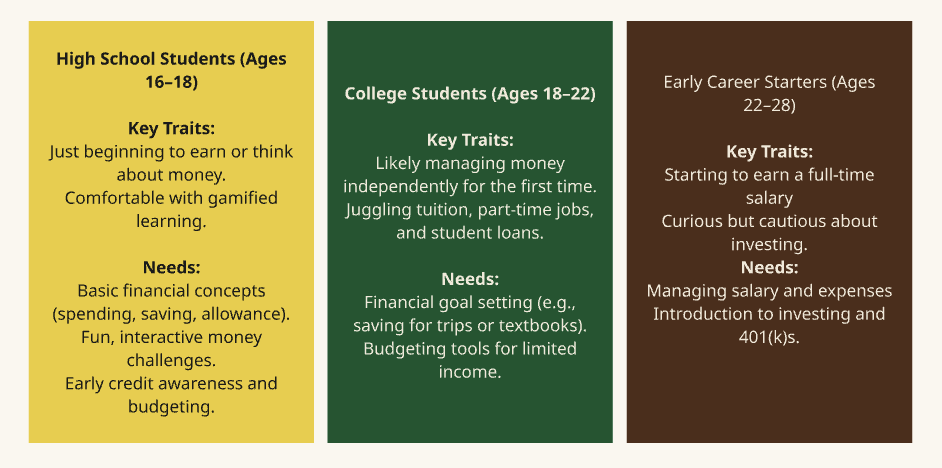
Ideal Target Audience:
User Testing:
User testing is the process of observing real users as they interact with a product to see how easy and effective it is to use.
Recruitment Plan:
A Recruitment Plan outlines how you’ll find and select participants for user testing. The goal is to recruit target users who closely match your app’s intended audience so you can gather meaningful, actionable feedback. Since this user testing had to be done in such a short period of time, the team had to get whoever we could.
The team recruited 5 people, sent out consent forms and scheduled them for a time within a 3 hour block to meet over zoom to run the user test with them.
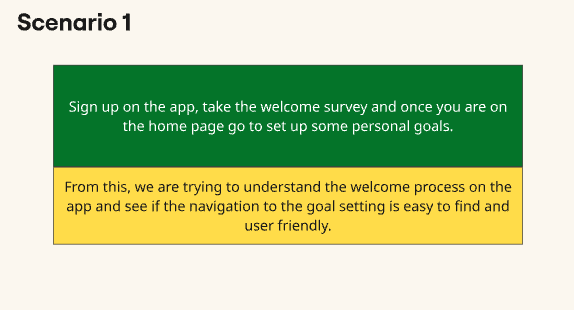
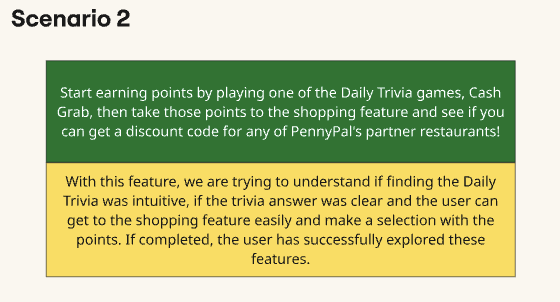
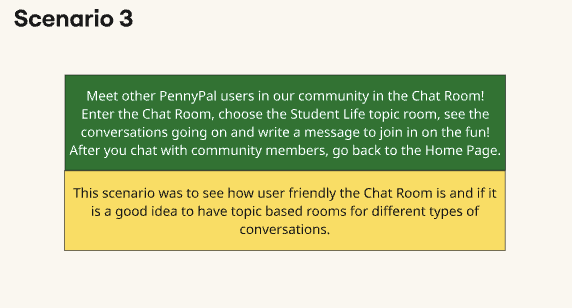
Defining Goals and Creating User Scenarios:
PennyPal’s Growth:
Understanding if PennyPal’s features meet our user’s needs and can grow with our users as they get older.
PennyPal’s Strategy:
Does PennyPal’s key features like Goal Tracking create an educational or entertaining experience to retain or acquire users.
PennyPal’s Brand DNA (Personality):
Does PennyPal’s brand ethos reflect and align with our target user’s passionate personality traits.
After User Testing Survey and Results:
The Survey that was taken:
The Results:
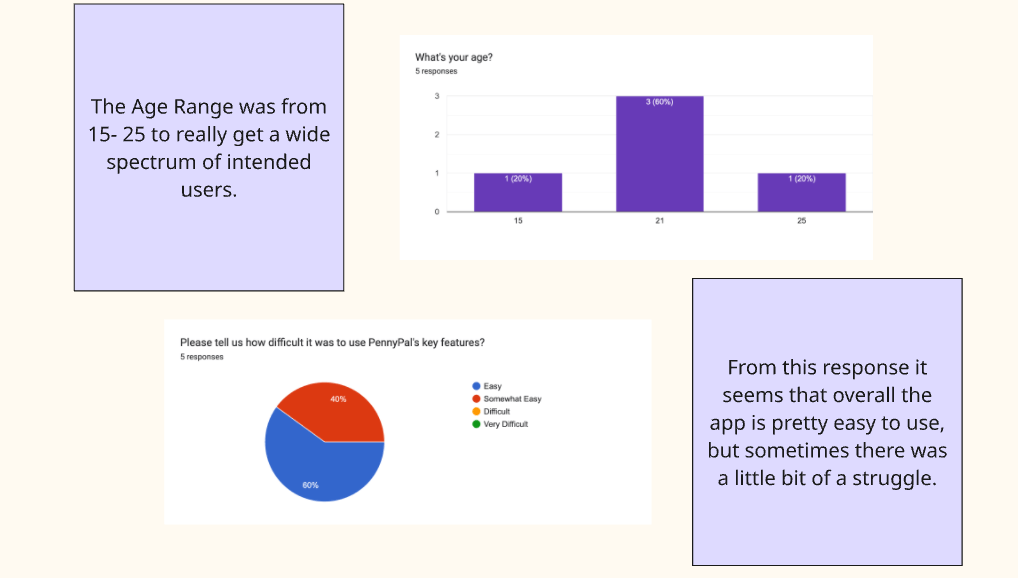
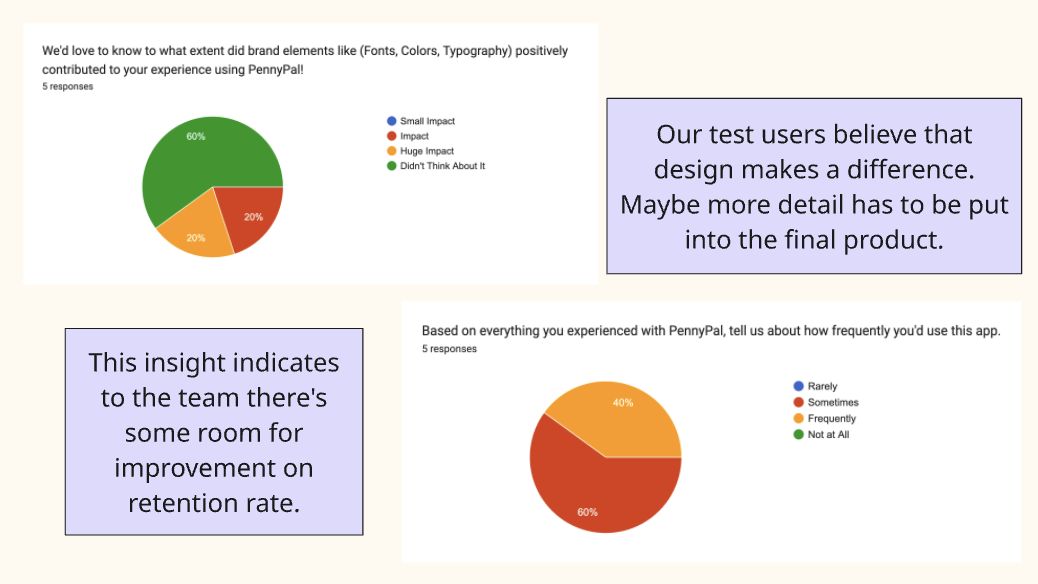
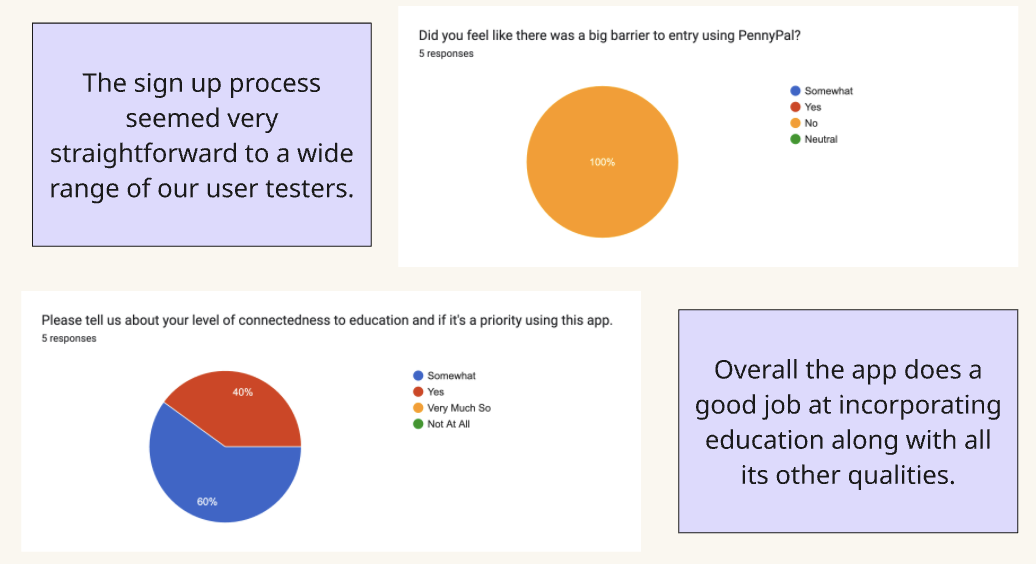
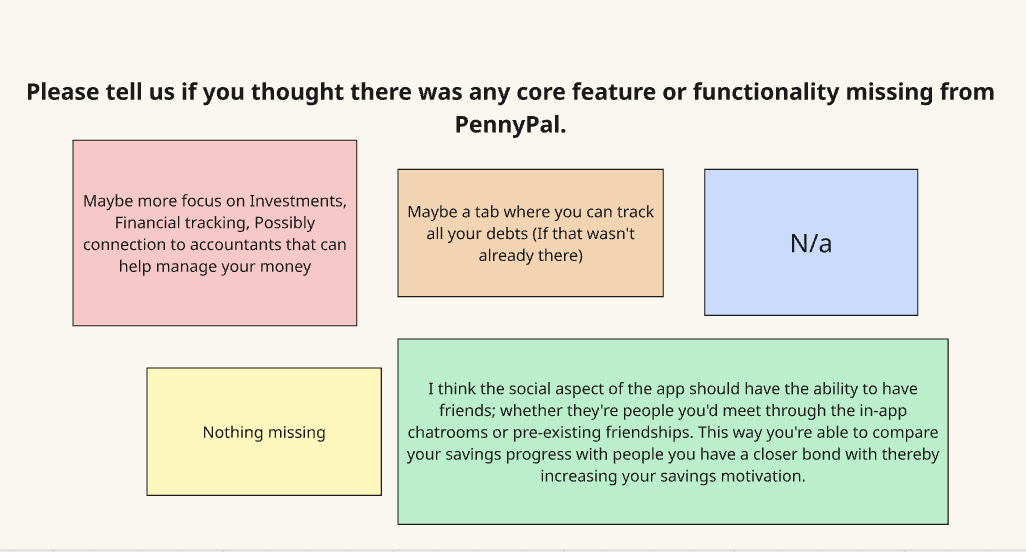
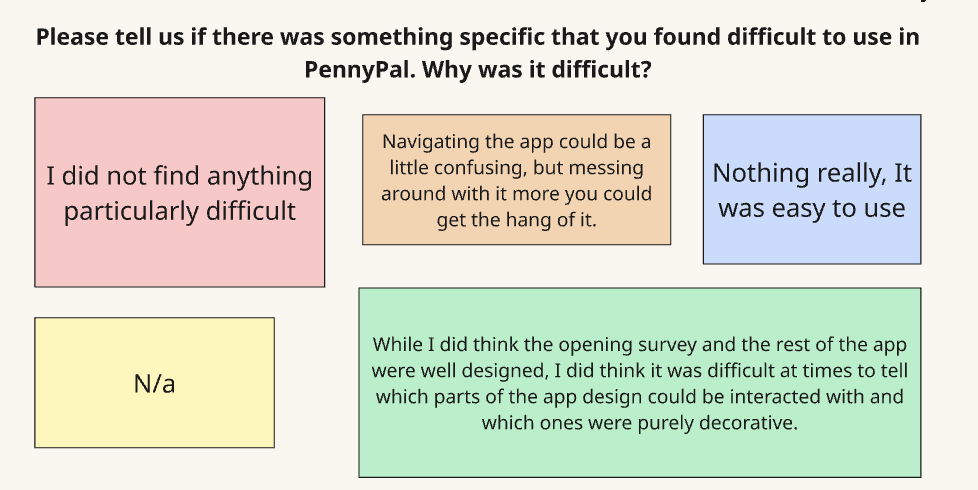
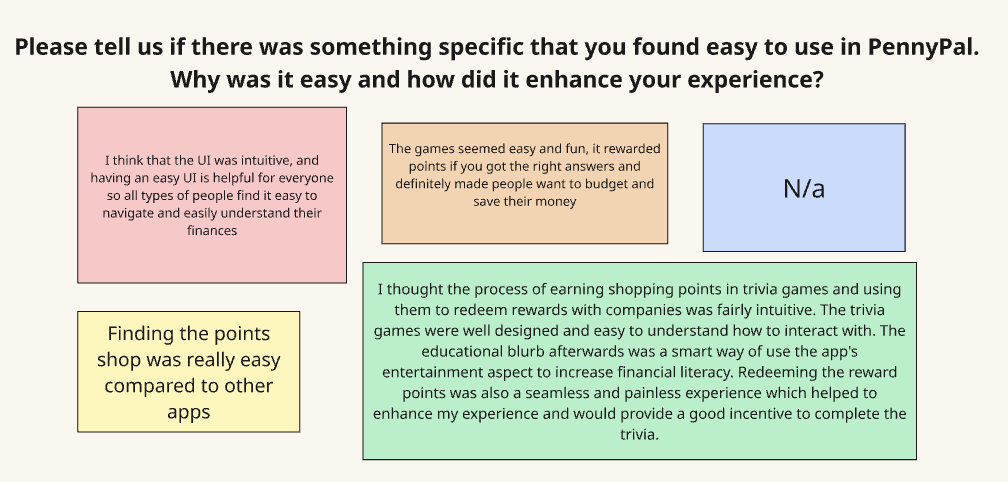
In the next phase, this is where the team really took that feedback and reflected on it.
Phase 5: Reflect + Report
After reviewing user testing responses and understanding the overall flow of PennyPal, several opportunities for improvement have emerged. First, it’s essential to refine and build out some of the app’s core sections to ensure a smoother, more intuitive user experience. This includes enhancing existing tools, improving navigation, and expanding content in key areas.
Enhance Features:
- Build out sections like budgeting tools, gamified savings plans, and personalized goal-setting dashboards.
Build the Educational Content:
- Partner with industry professionals to create high-quality financial literacy videos and micro-lessons. Think CFPs, financial influencers, or professors.
- Develop a structured learning path with progress tracking to increase engagement.
To make PennyPal more interactive and community-driven, a profile-sharing feature should be introduced so users can connect, share goals, and engage with friends. This added social aspect can encourage accountability and make the app more appealing, especially to Gen Z users who thrive on connection and collaboration.
Additionally, partnerships with businesses that align with the app’s mission that could support the shopping and rewards aspect of PennyPal, offering exclusive discounts or incentives for reaching financial milestones.
Laying out the finer details now will help streamline the development process when the time comes to fully build the app. Once the features and content are solidified, the team should bring on a developer to turn the concept into a functional, polished product.
With the app built, it’s time to shift focus toward promotion. Social media platforms like TikTok, Instagram, and YouTube are ideal for reaching Gen Z, but also consider TV commercials and parent-targeted campaigns that highlight the benefits of teaching financial literacy early.
Looking to the future, PennyPal has the potential to evolve into more than just an app. It could be integrated into educational settings, much like Google Docs or Slides are today. As part of a financial literacy curriculum, students could begin using PennyPal in school and continue applying their skills long after class ends. This long-term vision not only supports Gen Z but also contributes to a more financially informed and empowered society.
Conclusion:
Overall, PennyPal has the ability to grow alongside its users while influencing broader financial education efforts. By creating a strong foundation now, the app can become a trusted tool that encourages people of all ages to take control of their financial futures and positively impact economic awareness for generations to come.
 Levy It All To Me