What is Paper Prototyping?
Paper prototyping is a low budget process where the creators of an idea put pencil to paper and create a physical representation of the digital product that they are trying to navigate. This process is to help understand the user experience in the app and test what needs to flow better for the needs of the target audience.
Pros and Cons
Pros:
- Cheap : This process is an inexpensive way to create a physical representation in its roughest form so that it can be adjusted as needed.
- Universal : This is something that everyone can understand in its basic form. Even if you aren’t a designer, these simple sketches can be made by anyone and really understand the vision someone is looking for.
- Useful throughout the design process : This process allows for changes and flexibility throughout which allows for growth and the strangers version in the long run.
- Quick iteration : This process is quick and helps designers get stuck in the finer details of the over app.
Cons:
- Lack of realism : Whatever is drawn on the page can’t be 100% what the app will look like and in some ways it takes away from testers vision of the fully designed app.
- Requires in-person testing : Since people have to physically see the prototype, it makes a smaller pool of testers which can be less accurate.
- Lack of user control : The designers just have to watch users interact without helping them move forwards, so it could come across as annoying and frustrating for some overall opinions.
- Interpret results carefully : This isn’t the real thing so most testers can’t give you a perfectly clear opinion on the full app itself.
With all that being said this is a great process for designers to really understand and put together all the thoughts and ideas going on in their head.
Personally, I think this process was very helpful for me simply because I am a visual learner. I comprehended this process similar to a movie storyboard. If you don’t know what that is, it’s when the director does a simple sketch of what they visually want in each shot in every scene. This is a good way for collaboration with all the cast and crew on set.
This week I really spent time on this paper prototype and it had me rethinking everything I had in my app map originally. After doing this, my app map became more condensed. When I was first making my app map I thought the more information and channels people could go to the more opportunity there is on the app.
After looking over my classmates flow charts and drawing out my prototype I found a way to really simplify my app without forgoing the needs of my intended users. I also redefined the parameters of my target audience. I decided to target residence, whether that be all round resident or part time. But I cut out the idea that a short term visitor isn’t exactly going to download an off for a couple weeks or months if they don’t own property.
In the photo below is the new app map for the Burbank Municipal App. As you can probably notice it seems smaller but has more important information. I really wanted it to be an all inclusive app where someone could pay taxes and still find fun activities in the local area.
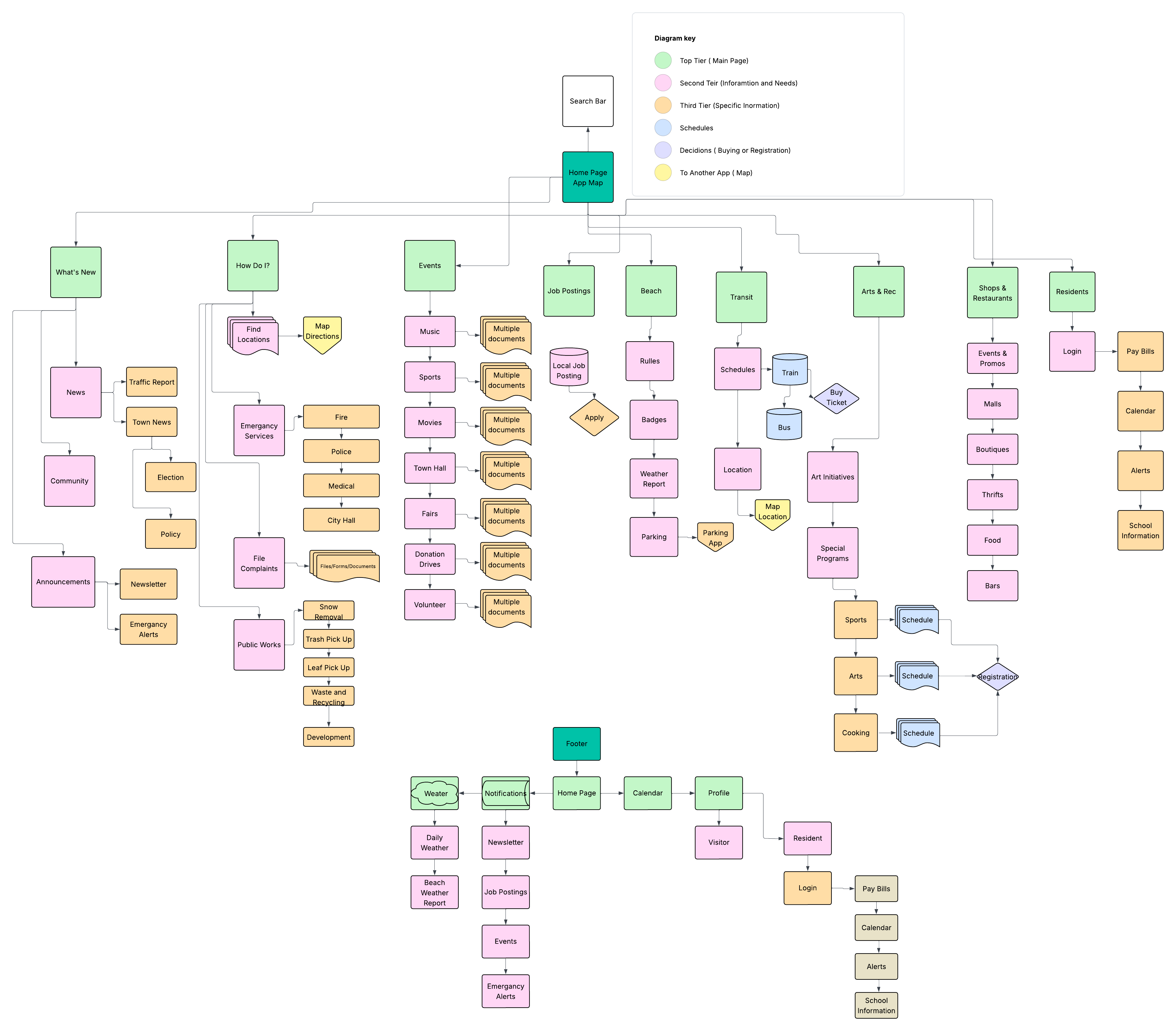
In the new app map, I made it so that the user no longer has to click between multiple page to get to the information. Everything they need to know is 1-3 clicks away.
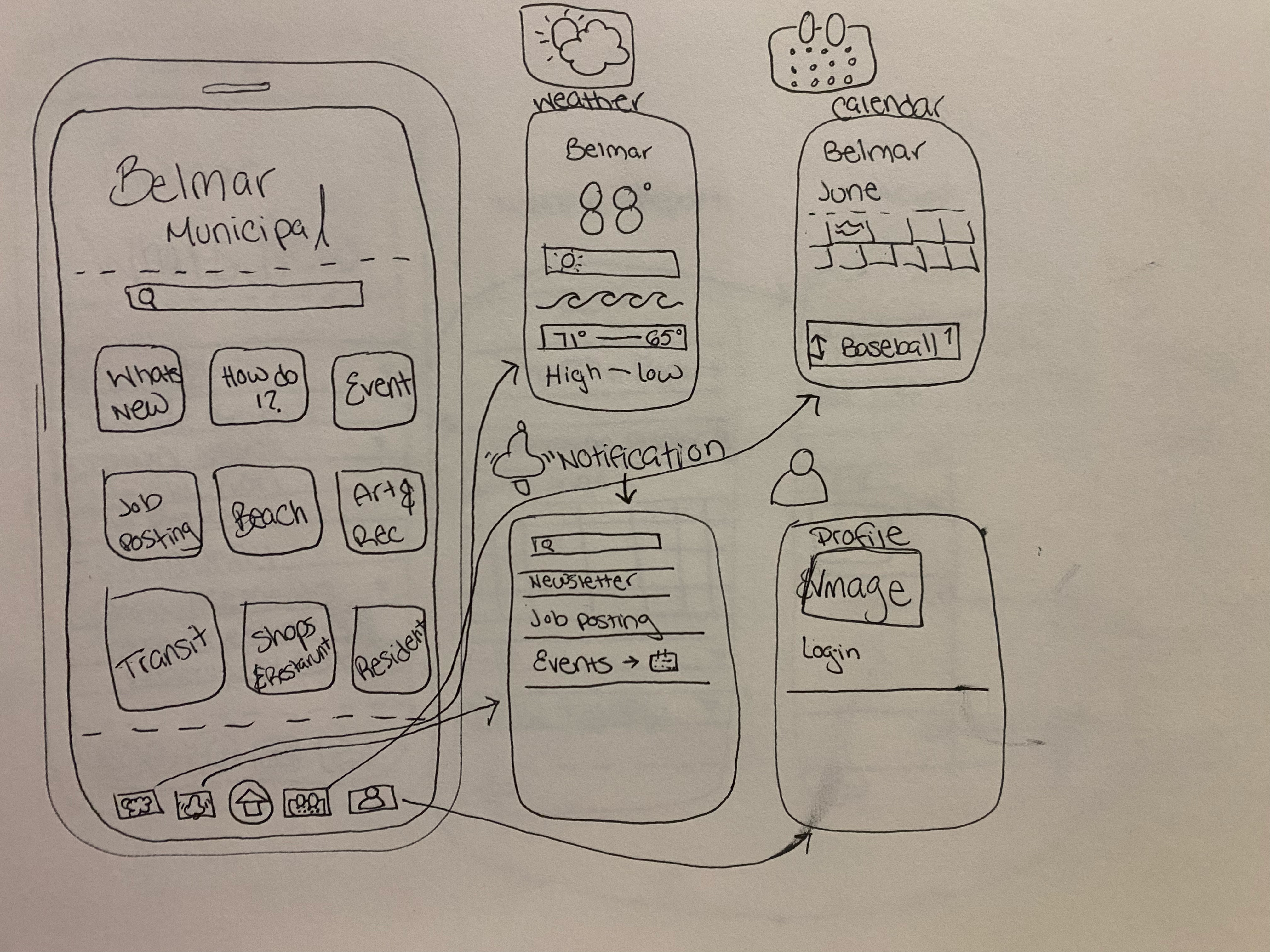
The footer was an important addition to me, these are things that I think people would check the most on the app. Having a location for events the user are interested in, and the check the weather reports and to stay updated on school information for the residents kids.
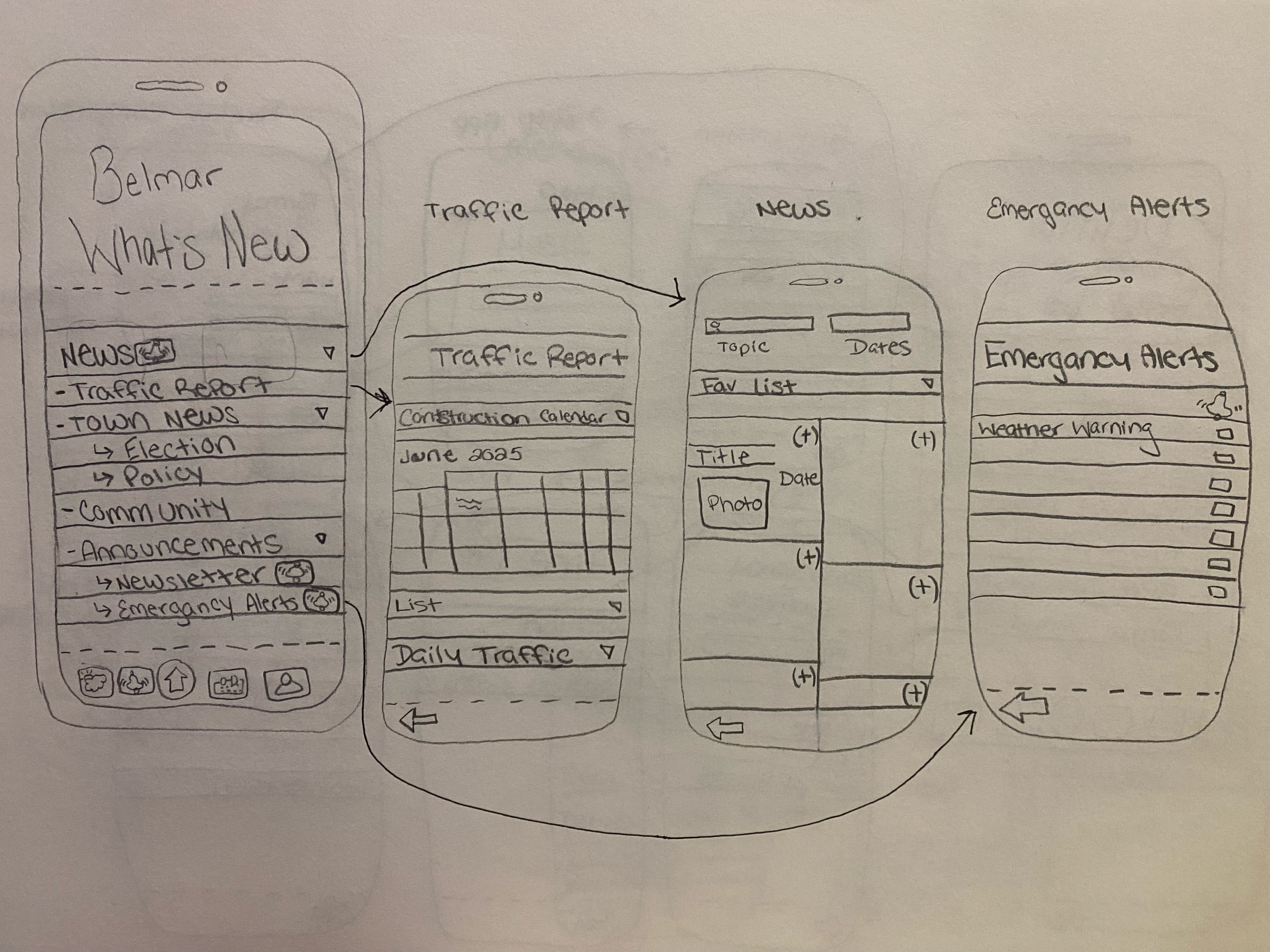
The new section is split up based on the needs of the users. Some commuter will like to read the traffic report and to know what roads are closed on their way into work. Some people just want some fun feel good stories with their morning coffee. The addition at the bottom of the page with an arrow back will allow someone to go back and find new stories and other information.
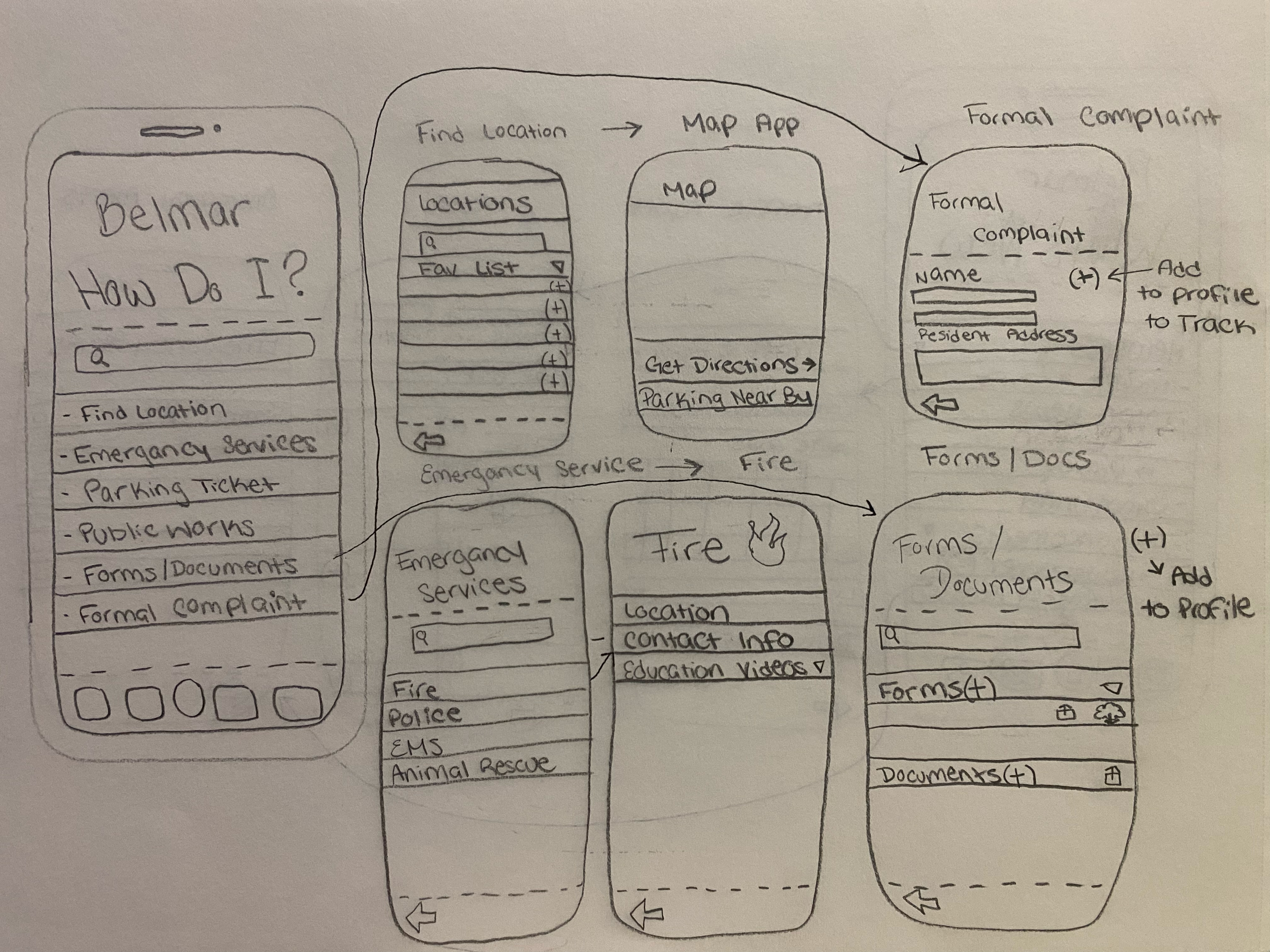
This section allows people to find important information fast. The search bar helps assist users in finding something specific like a form to expand the back of your house or to know how to contact the fire department for a non-emergency event.
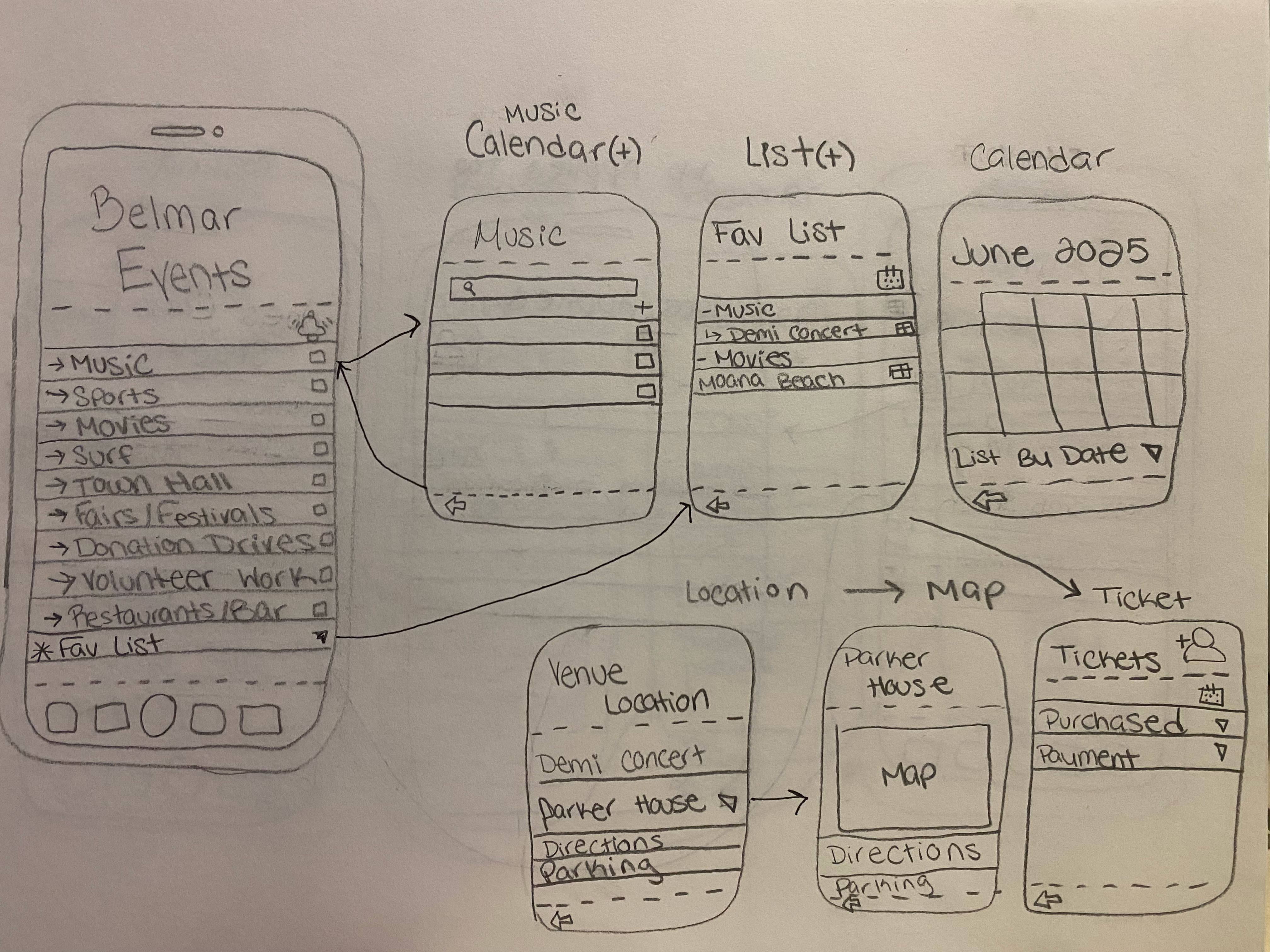
Events are big and everywhere, this will help local businesses and other events grow a following with the local community.
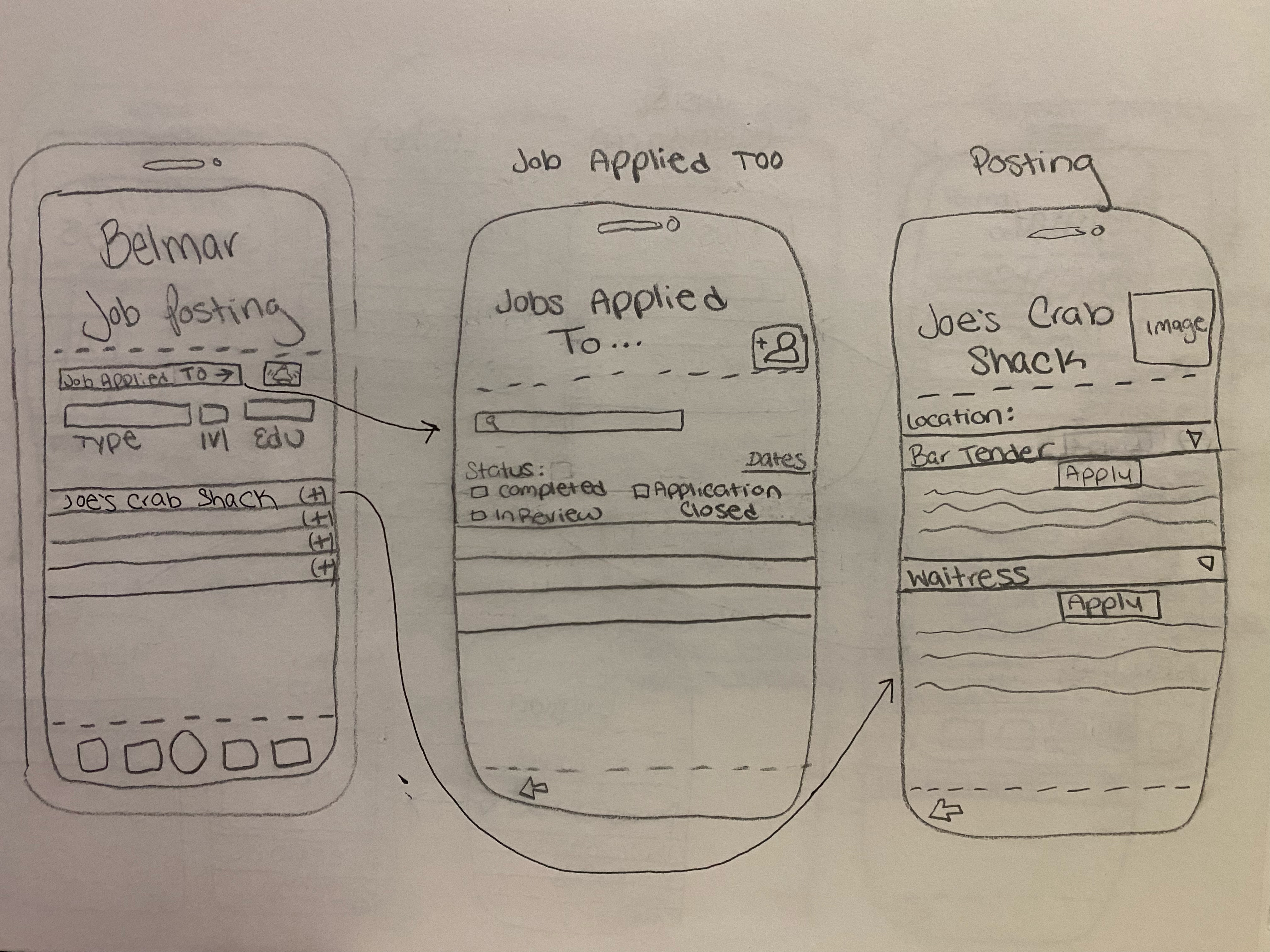
Local stores and other places always need to fill positions, this is the indeed of the town. Keeping locals running the economy.
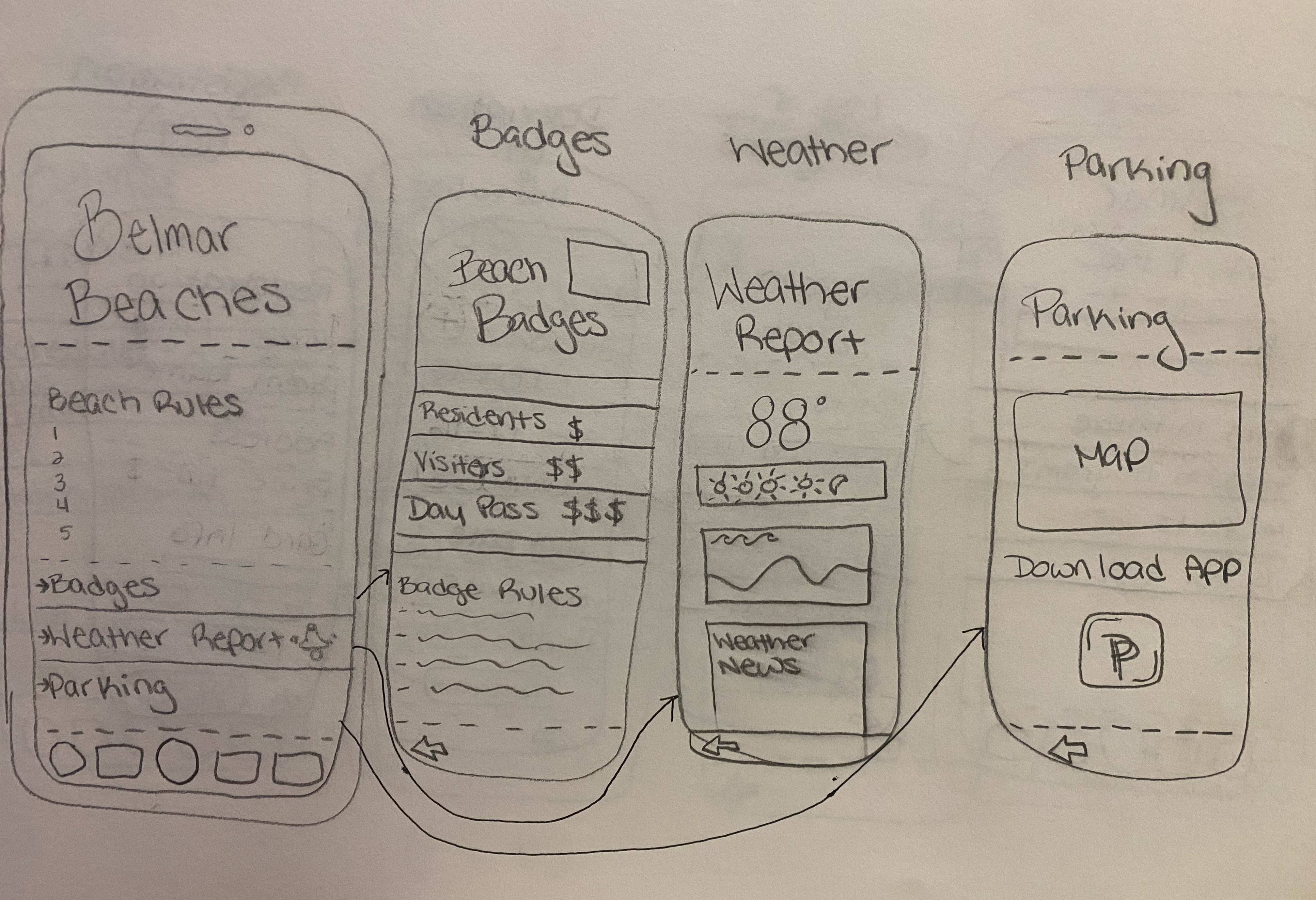
Beaches are always the questions, how much are badges and where can residents line up to get them. This is a one stop to find all the answers to the questions the user might have.
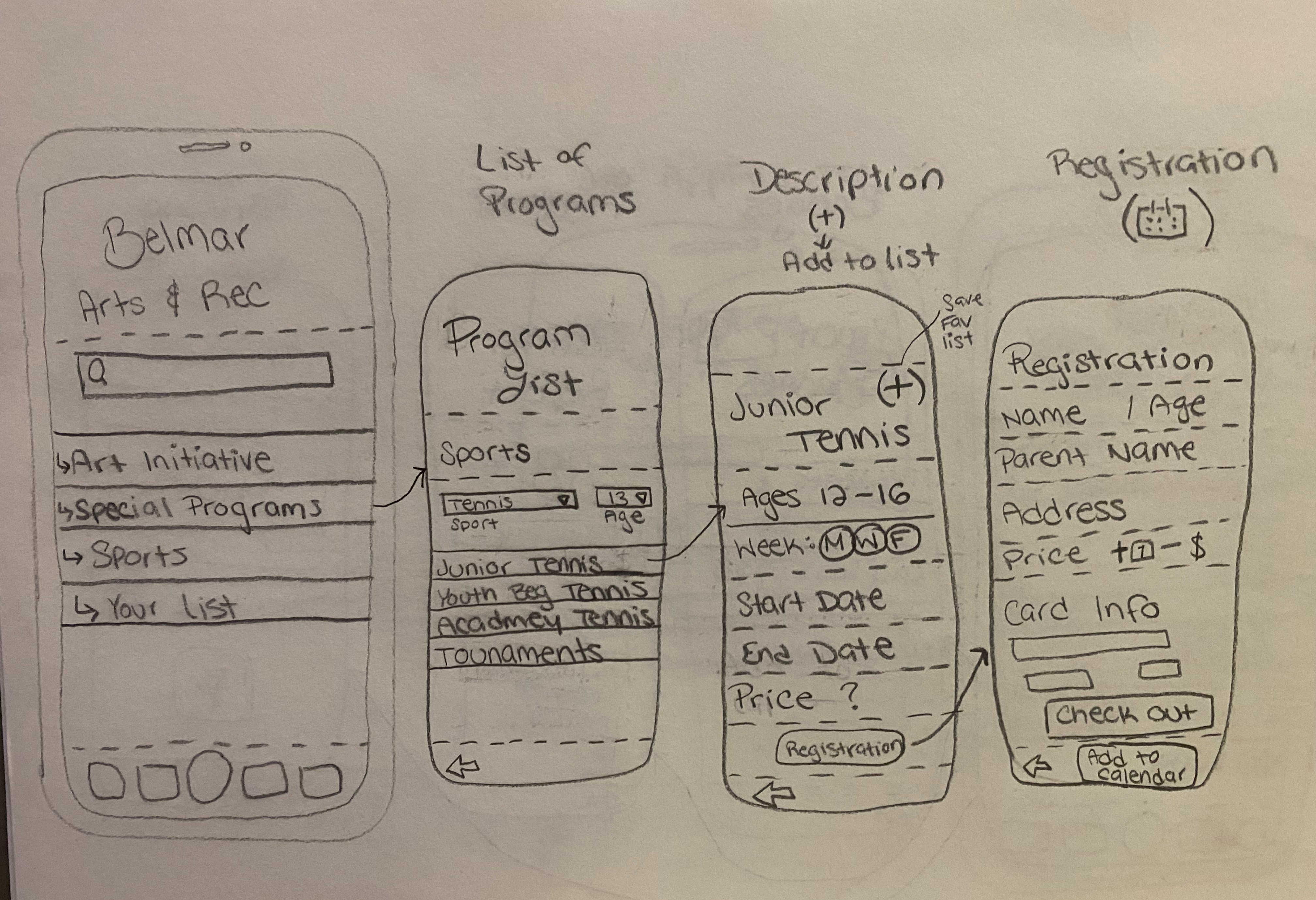
This will allow people to look for recreation programs and have the ability to sign up and pay for the classes or sports. One registered, the app has the ability to add to the users calendar. That will sit on the calendar at the home page.
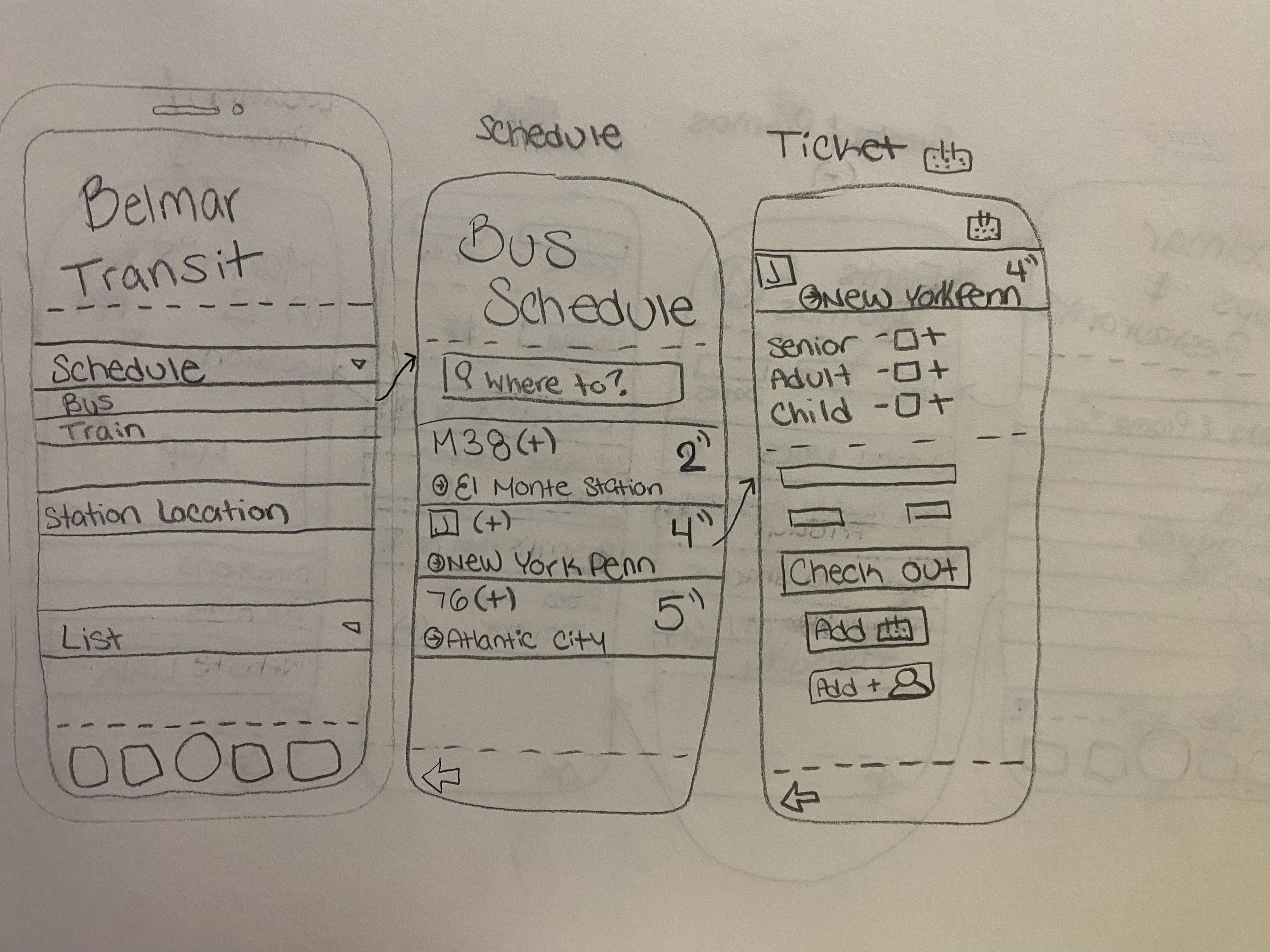
Belmar is a commuter town and this will help anyone find the local train and bus stops, and help to buy the tickets.
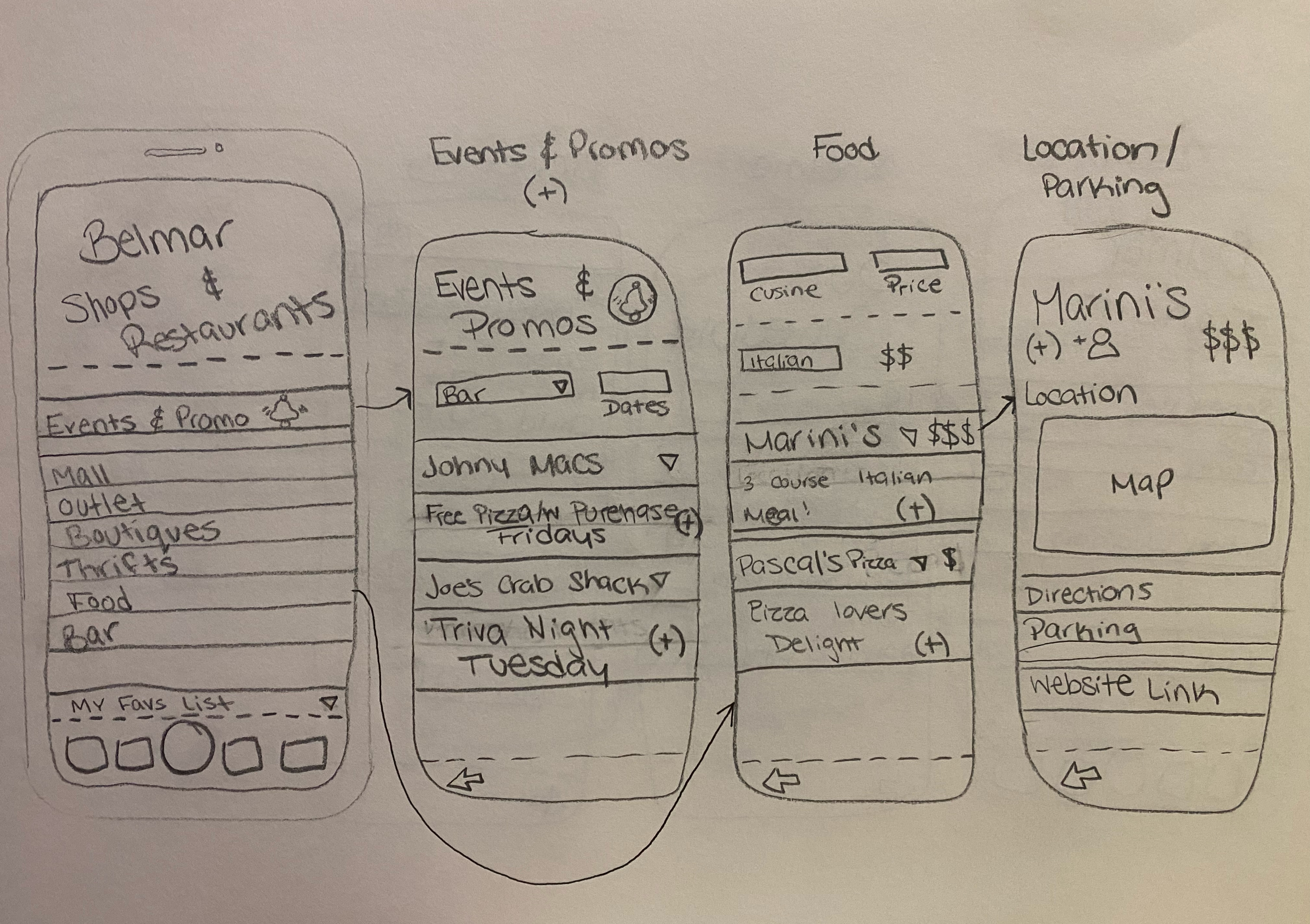
This all adds up to the users experience!!!
 Levy It All To Me